Burn Severity Mapping with Sentinel-2 NBR in GEE
A practical guide to mapping post-fire impact with Sentinel-2 surface reflectance, NBR and dNBR in Google Earth Engine, written for Indian GIS students and analysts.
Why burn severity needs more than fire hotspots
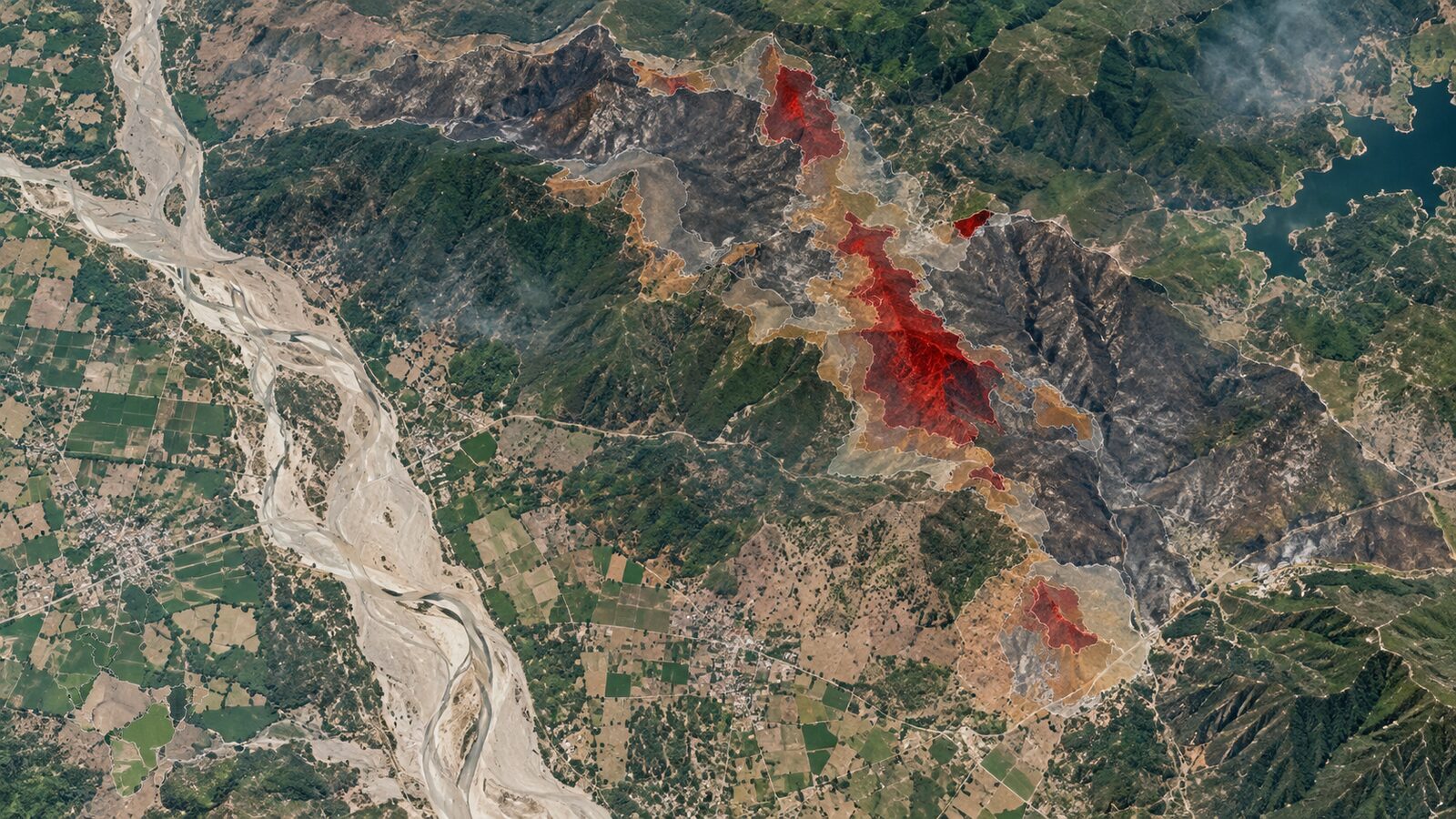
Forest fire alerts tell us where active thermal anomalies were detected, but burn severity asks a different question: how much did vegetation condition change after the fire? That distinction matters for Indian forest departments, restoration teams, watershed planners and analysts preparing evidence for damage assessment.
The Forest Survey of India uses satellite-based fire hotspot inputs from MODIS and SNPP-VIIRS for near real-time alerts. Its portal describes MODIS fire hotspots at 1 km by 1 km resolution and SNPP-VIIRS hotspots at 375 m by 375 m resolution. These alerts are valuable for response, especially because the data are processed through NRSC and shared onward through FSI systems. But a hotspot is not a final burn scar map. It can repeat on successive satellite passes, and it does not directly show whether a canopy was lightly scorched, severely affected, or already sparse before the fire.
For burn severity mapping, Sentinel-2 is a strong choice because it combines visible, near-infrared and shortwave-infrared bands. ESA lists Sentinel-2 MSI as a 13-band instrument with a 290 km swath, spatial resolutions of 10 m, 20 m and 60 m, and a five-day revisit for the two-satellite constellation at the equator. In Google Earth Engine, the harmonised Sentinel-2 Level-2A surface reflectance collection is available as COPERNICUS/S2_SR_HARMONIZED, with surface reflectance bands scaled by 10000.
The index: NBR and dNBR
The Normalised Burn Ratio, or NBR, compares near-infrared and shortwave-infrared reflectance. USGS defines it as:
NBR = (NIR - SWIR) / (NIR + SWIR)
Healthy vegetation usually has strong near-infrared reflectance and lower shortwave-infrared reflectance. Recently burned areas often show the reverse pattern because leaves, moisture and canopy structure have changed. Sentinel-2 gives us a practical pairing: B8 is the near-infrared band at 10 m, while B12 is a shortwave-infrared band at 20 m. Earth Engine will handle band arithmetic, but you should remember that the output resolution is influenced by the coarser band when a 10 m band and a 20 m band are combined.
The usual severity workflow is to calculate NBR before the fire and after the fire, then subtract post-fire NBR from pre-fire NBR:
dNBR = pre-fire NBR - post-fire NBR
A larger positive dNBR generally means a stronger loss of green vegetation or canopy moisture. The important word is generally. Burn severity is ecological and contextual, not just a pixel value. A dry grassland, a sal forest, a plantation edge and a rocky slope can all respond differently. Treat dNBR as a screening and mapping layer, then validate it with field notes, high-resolution imagery, FSI alerts, or local forest range information.
Worked example: Similipal-style forest fire assessment
Imagine you are analysing a forested landscape around Similipal in Odisha after a known fire period. The aim is not to create an official damage estimate, but to produce a defensible first-pass burn severity layer for interpretation in QGIS or a report.
Start in the Earth Engine Code Editor. Draw or import an area of interest around the affected forest block. Keep it tight. A common beginner mistake is exporting an entire district at high resolution, then wondering why the export is slow or fails. For a training exercise, use a compact polygon that covers the suspected fire perimeter plus a small buffer.
The first decision is date selection. Choose a pre-fire window close to the event, but before smoke and active burning. Choose a post-fire window after the event, but before strong green-up. In Indian dry deciduous forests, the timing of leaf flush, pre-monsoon dryness and cloud cover can all influence the signal. Avoid comparing a lush monsoon image with a dry summer image unless the fire itself happened between those seasonal states and your interpretation explicitly accounts for that.
Here is a compact Earth Engine recipe:
var aoi = geometry;

function maskS2(image) {
  var scl = image.select('SCL');
  var clear = scl.neq(3)
    .and(scl.neq(8))
    .and(scl.neq(9))
    .and(scl.neq(10))
    .and(scl.neq(11));
  return image.updateMask(clear).divide(10000)
    .copyProperties(image, ['system:time_start']);
}

function addNBR(image) {
  var nbr = image.normalizedDifference(['B8', 'B12']).rename('NBR');
  return image.addBands(nbr);
}

function makeComposite(start, end) {
  return ee.ImageCollection('COPERNICUS/S2_SR_HARMONIZED')
    .filterBounds(aoi)
    .filterDate(start, end)
    .filter(ee.Filter.lt('CLOUDY_PIXEL_PERCENTAGE', 30))
    .map(maskS2)
    .map(addNBR)
    .median()
    .clip(aoi);
}

var pre = makeComposite('2024-02-01', '2024-02-28');
var post = makeComposite('2024-04-01', '2024-04-30');

var dNBR = pre.select('NBR')
  .subtract(post.select('NBR'))
  .rename('dNBR');

Map.centerObject(aoi, 11);
Map.addLayer(pre, {bands: ['B12', 'B8', 'B4'], min: 0.02, max: 0.35}, 'Pre-fire SWIR-NIR-Red');
Map.addLayer(post, {bands: ['B12', 'B8', 'B4'], min: 0.02, max: 0.35}, 'Post-fire SWIR-NIR-Red');
Map.addLayer(dNBR, {min: -0.2, max: 0.8, palette: ['1a9850', 'ffffbf', 'fdae61', 'd73027']}, 'dNBR');

Export.image.toDrive({
  image: dNBR,
  description: 'similipal_dnbr_sentinel2',
  folder: 'gee_exports',
  fileNamePrefix: 'similipal_dnbr_s2',
  region: aoi,
  scale: 20,
  fileFormat: 'GeoTIFF',
  maxPixels: 1e13
});
This script uses the Sentinel-2 Scene Classification Layer to remove cloud shadows, medium and high probability clouds, cirrus and snow or ice classes. The specific class codes come from the Earth Engine Sentinel-2 dataset documentation. For most Indian forest-fire work, snow is irrelevant outside the Himalaya, but leaving that mask in the function makes the script safer if you reuse it in Uttarakhand or Himachal Pradesh.
The divide(10000) step converts the stored surface reflectance scale into reflectance-like values. Earth Engine documentation states that the harmonised Sentinel-2 surface reflectance bands are scaled by 10000, with a band scale of 0.0001. If you forget this step, normalizedDifference still gives a ratio, so NBR may look plausible, but your visualisation and any mixed calculations with thresholds or expressions can become confusing. Consistency matters.
Interpreting the result without overclaiming
After running the script, inspect three layers together: pre-fire false colour, post-fire false colour and dNBR. Burned patches often appear darker or more exposed in post-fire composites, while dNBR highlights change intensity. Do not classify severity immediately from a global threshold found online. Instead, create local classes using field knowledge, visual interpretation and sample points.
A practical classification workflow is:
- Display the dNBR layer and compare it with post-fire false colour imagery.
- Add FSI hotspot points or downloaded alert locations if available to your team.
- Digitise sample polygons for apparently unburned forest, lightly changed areas and strongly changed areas.
- Use zonal statistics in QGIS or reducers in Earth Engine to inspect the dNBR distribution inside each sample group.
- Set local thresholds, document them, and label the output as an interpreted burn severity map rather than a ground-truth product.
If you are preparing a portfolio map, include the pre-fire and post-fire dates, the Sentinel-2 collection name, the index formula, and a short limitation note. Recruiters notice this. It shows that you understand remote sensing as measurement, not just colour styling.
Common beginner mistake: mixing seasons
The most common mistake is comparing images from different phenological stages and calling every vegetation change a burn effect. In central and eastern India, deciduous forests can change strongly between late winter, summer and monsoon. If the pre-fire image is from a greener period and the post-fire image is from a naturally dry period, dNBR will exaggerate damage.
To avoid this, choose the closest clean pre-fire and post-fire windows around the event. Use a median composite only across a short window, not across a whole season. Check rainfall context if the dates straddle early monsoon showers. In cloud-prone regions, it is better to accept a slightly longer but seasonally consistent window than to combine images that represent completely different vegetation states.
Another beginner mistake is forgetting that Sentinel-2 B8 and B12 have different native pixel sizes. Since B12 is 20 m, exporting dNBR at 20 m is a sensible default. Exporting at 10 m does not create true 10 m SWIR information. It only resamples the 20 m signal into a finer grid.
Where this fits in Indian geospatial practice
For Indian GIS students, this workflow is a good bridge between textbook spectral indices and real operational monitoring. FSI fire alerts provide rapid detection. Sentinel-2 dNBR provides a finer post-event change layer. QGIS can then support cartography, zonal summaries by beat or compartment boundary, and map layouts for communication.
For early-career analysts, the professional value lies in the chain of reasoning: thermal alert, optical change detection, cloud masking, seasonal caution, local thresholding and honest uncertainty. That is the difference between a colourful raster and an analysis someone can use.
Frequently asked questions
Can Sentinel-2 replace FSI fire alerts?
No. Sentinel-2 burn severity mapping is better for post-fire assessment, while FSI alerts are designed for near real-time fire detection and response. Use FSI hotspot information to understand where fires were detected, then use Sentinel-2 NBR and dNBR to examine vegetation change after the event.
Should I use B11 or B12 for Sentinel-2 NBR?
Use B12 when following the common NBR logic with near-infrared and shortwave-infrared response to burning. Sentinel-2 B8 provides NIR and B12 provides SWIR 2. Keep your choice documented, especially if you compare outputs with Landsat-derived NBR products.
Why does my dNBR map show negative values?
Negative dNBR can occur where post-fire NBR is higher than pre-fire NBR, often because of regrowth, irrigation, phenology, cloud contamination or date mismatch. Do not automatically treat negative values as errors. Inspect the pre-fire and post-fire composites before masking or reclassifying them.
What export scale should I choose in Earth Engine?
For Sentinel-2 dNBR using B8 and B12, 20 m is a sensible export scale because B12 is a 20 m band. Exporting at 10 m may look sharper, but it does not add true SWIR spatial detail and can mislead map readers.
References
- https://www.esa.int/Applications/Observing_the_Earth/Copernicus/Sentinel-2/Facts_and_figures
- https://developers.google.com/earth-engine/datasets/catalog/COPERNICUS_S2_SR_HARMONIZED
- https://www.usgs.gov/landsat-missions/landsat-normalized-burn-ratio
- https://fsiforestfire.gov.in/Home/NRTDetails
- https://fsiforestfire.gov.in/Home/LFFDetails
- https://developers.google.com/earth-engine/apidocs/ee-image-normalizeddifference
- https://developers.google.com/earth-engine/apidocs/export-image-todrive
Cover image: AI-generated illustration (ChatGPT image generation), not satellite data.
Researched and drafted with AI assistance; sources are linked for verification.