Mask Terrain Shadows in Sentinel-2 for Sikkim
A practical Earth Engine workflow for separating terrain shadow from cloud shadow in Sentinel-2 surface reflectance before analysing Himalayan land cover.
Why terrain shadow needs its own mask
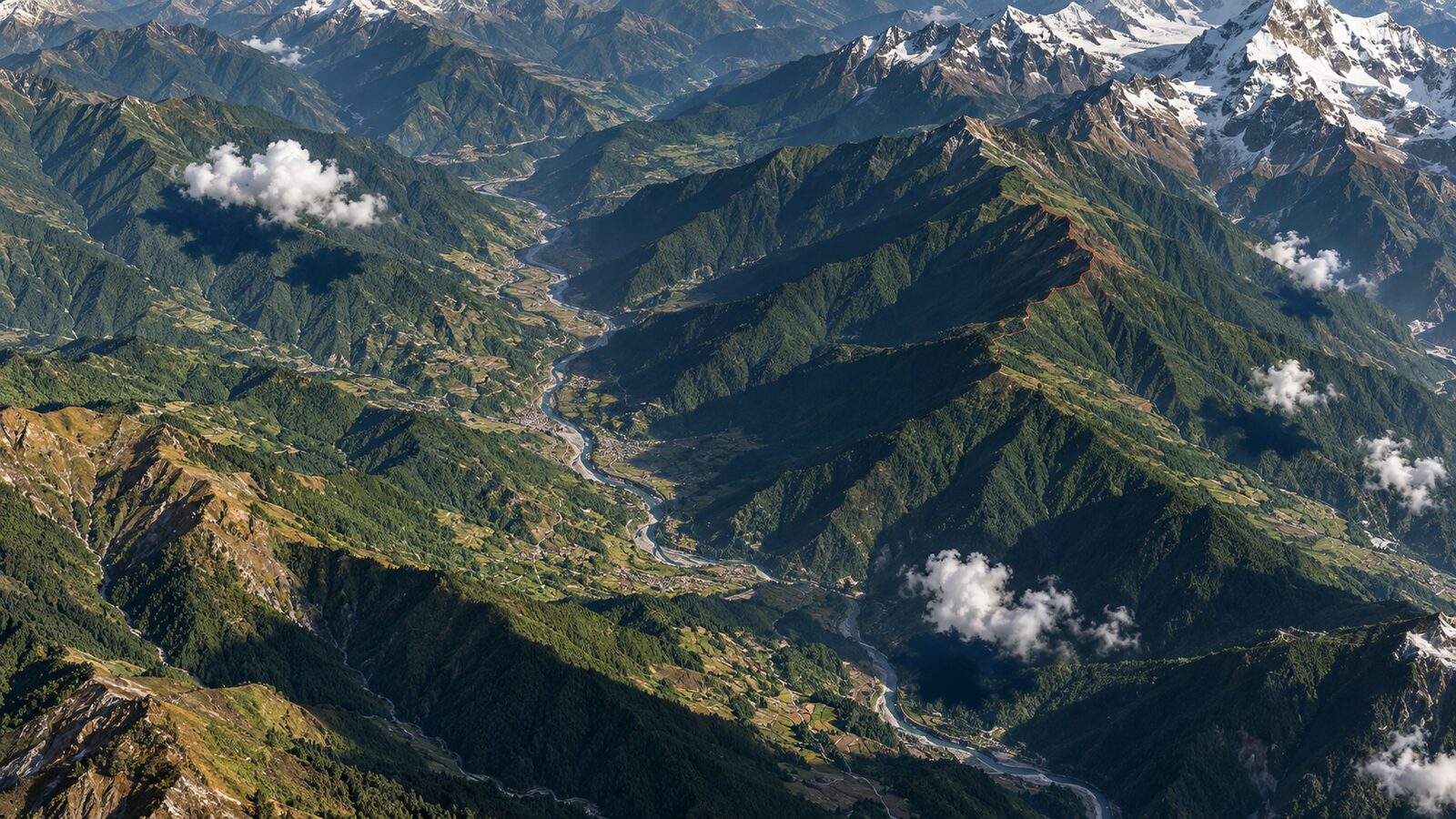
A dark Sentinel-2 pixel in the Himalaya is not automatically water, burnt ground, cloud shadow or sparse vegetation. It may simply be a slope that was facing away from the Sun when the satellite acquired the scene. If that distinction is ignored, a map can turn north-facing forest into false water, lower a vegetation index in shaded valleys, or create misleading change patches between dates.
This matters in Sikkim because steep relief makes illumination strongly directional. A cloud mask answers, “was the pixel obscured by cloud or its shadow?” A terrain-shadow mask answers a different question: “could the surrounding topography block direct sunlight at this pixel for this acquisition geometry?” Use both, and retain the two masks separately so that you can explain why a pixel was excluded.
This tutorial builds a screening mask for a small area around Yumthang Valley in north Sikkim. It is intended for preparing Sentinel-2 imagery before visual interpretation, digitising, calculating indices, or supplying predictors to a classifier. It is not a topographic correction. The goal is conservative quality control: flag places where reflectance-based interpretation is less reliable.
The workflow uses Earth Engine's COPERNICUS/S2_SR_HARMONIZED collection. It contains Level-2A surface-reflectance bands scaled by 10,000, while the harmonised collection adjusts newer scenes so they align with the earlier processing range. The collection includes a 20 m Scene Classification Layer, or SCL, as well as mean solar azimuth and zenith metadata for each image. Earth Engine Sentinel-2 SR Harmonized catalogue
What the terrain-shadow model does
ee.Terrain.hillShadow() takes an elevation image, a solar azimuth, a solar zenith, a neighbourhood size and an optional hysteresis setting. It returns a binary shadow band: 1 for illuminated pixels and 0 for shadowed pixels. Its documentation specifies that the elevation values must be metres and that the algorithm currently works only with Mercator projections, where it treats light rays as parallel. Earth Engine hillShadow reference
For elevation, this example uses Copernicus DEM GLO-30. In Earth Engine it is an ImageCollection rather than one ready-made global image, so it must be mosaicked before terrain calculations. The catalogue identifies its DEM band as a 30 m digital surface model. A digital surface model includes features above bare ground where present, which is useful context when interpreting the result but also a reason not to present this simple mask as a field-scale truth surface. Copernicus DEM GLO-30 catalogue
The model is geometric, not spectral. It does not inspect a dark pixel and guess its cause. Instead, it combines the terrain with the Sun position recorded for that Sentinel-2 image. Consequently, its result changes between acquisitions even when the land surface does not.
Before you start: choose an analysis question
Start with a question that benefits from excluding uncertain illumination. For example: “Which exposed alpine grassland patches can I compare between two snow-free dates around Yumthang Valley?” This is a better starting point than “remove all dark pixels”.
Draw or import an area of interest called aoi. Keep it modest while developing the script. A compact valley or a single watershed lets you inspect every decision. Once the mask behaves sensibly, apply it to a larger study area and record the date range, image identifiers, mask rules and DEM source in your project notes.
Choose a season appropriate to your target. For vegetation comparison, seek dates after seasonal snow has retreated from the locations you intend to compare. For mapping snow itself, do not mask snow merely because it is bright or because an SCL class labels it as snow or ice. The correct treatment is determined by the question.
Worked example: Yumthang Valley in Earth Engine
Paste the following JavaScript into the Earth Engine Code Editor after creating or importing aoi. The dates are deliberately just an example window, not a claim that it is cloud-free everywhere. Inspect the individual scenes before relying on a composite.
var aoi = /* draw or import your Yumthang Valley boundary */;

var s2 = ee.ImageCollection('COPERNICUS/S2_SR_HARMONIZED')
  .filterBounds(aoi)
  .filterDate('2025-10-01', '2025-11-01')
  .filter(ee.Filter.lt('CLOUDY_PIXEL_PERCENTAGE', 30));

var demCollection = ee.ImageCollection('COPERNICUS/DEM/GLO30_2024_1');
var dem = demCollection.select('DEM').mosaic();

// hillShadow requires a Mercator projection. Keep the DEM at its native 30 m scale.
var demMercator = dem.reproject({crs: 'EPSG:3857', scale: 30});

function addMasks(image) {
  var scl = image.select('SCL');

  // Exclude cloud shadow, cloud classes, cirrus and defective pixels.
  var clearScl = scl.neq(1)
    .and(scl.neq(3))
    .and(scl.neq(7))
    .and(scl.neq(8))
    .and(scl.neq(9))
    .and(scl.neq(10));

  var sunAzimuth = ee.Number(image.get('MEAN_SOLAR_AZIMUTH_ANGLE'));
  var sunZenith = ee.Number(image.get('MEAN_SOLAR_ZENITH_ANGLE'));

  var illuminated = ee.Terrain.hillShadow(
    demMercator, sunAzimuth, sunZenith, 100, false
  );

  var usable = clearScl.and(illuminated);

  return image
    .updateMask(usable)
    .addBands(illuminated.rename('terrain_illuminated'))
    .addBands(clearScl.rename('scl_clear'))
    .copyProperties(image, image.propertyNames());
}

var prepared = s2.map(addMasks);
var first = ee.Image(prepared.first());

Map.centerObject(aoi, 12);
Map.addLayer(first.select(['B4', 'B3', 'B2']).divide(10000),
  {min: 0, max: 0.3}, 'masked true colour');
Map.addLayer(first.select('terrain_illuminated'),
  {min: 0, max: 1, palette: ['4b2e19', 'fff7a8']},
  'terrain illumination, 0 shadow and 1 lit', false);
Map.addLayer(first.select('SCL'),
  {min: 1, max: 11}, 'SCL', false);
The image filter uses the scene-level CLOUDY_PIXEL_PERCENTAGE property only to reduce the search. It is not the final cloud decision for your valley. The final spectral screening here uses SCL. The catalogue defines SCL at 20 m and lists class 3 as cloud shadow, classes 7 to 9 as cloud categories, and class 10 as cirrus. It also lists class 1 as saturated or defective. S2 SR Harmonized band and class documentation
The terrain layer remains visible after updateMask() because it is added before the image properties are returned. Turn that layer on alongside the original, unmasked image while checking the output. Shadowed valley sides should generally correspond to the terrain geometry and the acquisition's solar direction. If a large, obviously illuminated slope is flagged, first check that you did not replace solar zenith with solar elevation. Zenith is measured away from the vertical; it is not the same quantity as elevation above the horizon.
Read the result before calculating an index
For a single image, calculate an index only from the masked bands. For example, first.normalizedDifference(['B8', 'B4']) produces an NDVI layer based on the pixels that survived both masks. Sentinel-2 B8 and B4 are 10 m bands, but the SCL is 20 m and the terrain model in this example is based on a 30 m DEM. Do not describe the final uncertainty as 10 m merely because the output display looks crisp. The source resolutions remain relevant to what the mask can distinguish.
For a multi-date comparison, map the masking function over each image, then compare date-specific statistics within stable polygons. Keep a separate count of valid observations. A low NDVI average calculated from two well-lit dates is not equivalent to one calculated from many dates with substantial exclusion. Make the valid-count layer part of the deliverable.
For an image mosaic, resist the temptation to take a median immediately. First inspect which dates contribute pixels on opposing slopes. A median can reduce residual clouds but cannot make different illumination geometries physically comparable. For a rigorous biophysical product, investigate a method designed for topographic correction and report its assumptions separately.
Common mistakes and how to avoid them
The most common beginner mistake is treating SCL class 3, cloud shadow, as if it includes terrain shadow. It does not remove the need for a terrain-geometry check. Conversely, do not label every modelled terrain-shadow pixel as cloud shadow in your map legend. Store and name the two conditions separately.
A second mistake is using a generic Sun angle, such as a fixed south-westerly azimuth, for every scene. The Sentinel-2 collection supplies MEAN_SOLAR_AZIMUTH_ANGLE and MEAN_SOLAR_ZENITH_ANGLE properties. Read them from each image inside the mapping function, as the example does. That makes the model specific to the acquisition rather than to a convenient assumption.
A third mistake is running hillShadow in an unsupported projection or overlooking the DEM's collection structure. The Earth Engine reference restricts the function to Mercator projections, and the GLO-30 catalogue notes that the DEM collection needs preparation for terrain work. Reproject the DEM deliberately, use a sensible scale, and test a small area before launching a regional export.
Finally, do not confuse a mask with a correction. Masking removes pixels from a subsequent calculation. It does not recover the reflectance a shaded slope would have had under direct illumination. This is often the honest choice for a screening map, but it reduces spatial coverage. State that trade-off in your methods section.
A practical reporting checklist
When sharing a map or portfolio project, state the Sentinel-2 collection name, selected dates, your cloud-related SCL exclusions, DEM dataset, working projection, terrain-shadow settings and whether the output is a mask or a corrected reflectance product. Add a map panel showing excluded pixels. A recruiter or project reviewer can then see that dark areas were handled as an uncertainty problem, not silently converted into a land-cover class.
For Indian Himalayan work, this small discipline is valuable. It creates outputs that are easier to reproduce across valleys and seasons, while making clear where optical interpretation should stop and field knowledge, a higher-resolution DEM or another sensor should take over.
Frequently asked questions
Does this terrain-shadow mask remove clouds?
No, it models terrain-driven illumination only, so pair it with an independent cloud and cloud-shadow mask such as SCL screening. The two masks answer different questions and should be retained separately for checking and reporting.
Should I remove snow and ice with the SCL mask?
No, not automatically. Keep or exclude SCL class 11 according to the study objective: retain it for a snow investigation, but consider excluding it when comparing vegetation or exposed ground across dates.
Is the output really a 10 m terrain-shadow map?
No, the displayed Sentinel-2 bands may be 10 m, but this example uses a 30 m DEM and a 20 m scene-classification layer. Interpret the mask at the support of its coarser inputs.
Can I use this method outside Sikkim?
Yes, the same approach can screen steep terrain elsewhere in India, provided you inspect its behaviour locally. Use each scene's solar metadata, prepare the DEM carefully, and validate against imagery and local knowledge.
References
- Google Earth Engine: Harmonized Sentinel-2 MSI Level-2A collection
- Google Earth Engine: ee.Terrain.hillShadow reference
- Google Earth Engine: Copernicus DEM GLO-30 catalogue
Cover image: AI-generated illustration (ChatGPT image generation), not satellite data.
Researched and drafted with AI assistance; sources are linked for verification.