MODIS EVI Anomalies in GEE for Nilgiris Tea Landscapes
Use MODIS EVI and a seasonal baseline in Google Earth Engine to flag unusually low or high vegetation activity across the Nilgiris tea landscape.
A regional screen for seasonal vegetation change
Tea landscapes in the Nilgiris are a compelling place to practise time-series remote sensing: plantations, forest fragments, settlements and steep terrain meet within short distances. That complexity also makes a single satellite scene easy to overinterpret. A useful first product is not a map claiming tea health at estate level. It is a seasonal EVI anomaly map that asks a narrower question: which 250 m areas are greener or less green than their own historical seasonal reference?
This post builds that screen in Google Earth Engine (GEE) with the MODIS Terra Vegetation Indices Version 6.1 collection, MODIS/061/MOD13Q1. The collection supplies NDVI and EVI every 16 days at 250 m. Its EVI is designed to reduce canopy-background variation and retain sensitivity in dense vegetation, while using the blue band to help address residual atmospheric contamination. Those properties make EVI a sensible exploratory indicator for a vegetation-dense landscape, although it remains an indirect spectral measure, not a measure of yield, disease or management quality.
The workflow is deliberately regional. It is suited to comparing seasonal conditions across a broad tea-growing belt, identifying places worth checking with field knowledge, and preparing a reproducible portfolio analysis. It is not suitable for drawing conclusions about individual plots smaller than a MODIS pixel.
What an EVI anomaly means
An anomaly is simply a difference from a reference value:
seasonal EVI anomaly = target-season EVI - baseline seasonal EVI
For example, if the July to August EVI median for an area in one target year is lower than the median for July to August across a chosen baseline, the anomaly is negative. A positive result means the target season was greener relative to that reference. It does not identify the cause. Rainfall, pruning cycles, shade, terrain, cloud-related data quality, mixed land cover and land-use change can all contribute to the pattern.
The essential idea is to compare like with like. A July to August image should be compared with July to August observations in prior years, not with an annual average. Seasonal vegetation changes are normal. A same-season baseline removes much of that expected rhythm and makes departures easier to inspect.
MOD13Q1 stores EVI as scaled integers, with a scale factor of 0.0001. Therefore an unscaled value of 5,000 represents 0.5. Apply the scale before interpreting chart values, map ranges or anomaly magnitudes. The collection also includes DetailedQA, whose first two bits describe overall VI quality. A value of zero for those bits indicates good-quality VI production.
Worked example: July to August EVI anomaly map
Start a new script in the GEE Code Editor. Draw a polygon around the Nilgiris area you want to screen and rename the imported geometry roi. Do not use a point for this exercise: the result should represent a meaningful area, rather than one potentially mixed pixel.
The code below creates a median EVI image for July to August of each year, masks observations whose MODLAND VI-quality bits are not good, calculates a 2001 to 2020 seasonal baseline, and compares a target year with it. Change targetYear, the date window, and the baseline years for your analytical question.
// Draw a broad study polygon in the Code Editor and name it roi.
var targetYear = 2025;
var baselineYears = ee.List.sequence(2001, 2020);

var modis = ee.ImageCollection('MODIS/061/MOD13Q1')
  .filterBounds(roi);

// Keep observations where DetailedQA bits 0-1 equal 0: good VI quality.
function prepareEvi(image) {
  var qa = image.select('DetailedQA');
  var goodQuality = qa.bitwiseAnd(3).eq(0);

  return image.select('EVI')
    .updateMask(goodQuality)
    .multiply(0.0001)
    .rename('EVI')
    .copyProperties(image, ['system:time_start']);
}

var evi = modis.map(prepareEvi);

function julyAugustMedian(year) {
  year = ee.Number(year);
  var start = ee.Date.fromYMD(year, 7, 1);
  var end = ee.Date.fromYMD(year, 9, 1);

  return evi.filterDate(start, end)
    .median()
    .clip(roi)
    .set('year', year)
    .set('system:time_start', start.millis());
}

var baseline = ee.ImageCollection.fromImages(
  baselineYears.map(julyAugustMedian)
).median().rename('baseline_EVI');

var target = julyAugustMedian(targetYear).rename('target_EVI');
var anomaly = target.subtract(baseline).rename('EVI_anomaly');

Map.centerObject(roi, 10);
Map.addLayer(target, {
  min: 0.1, max: 0.8,
  palette: ['f7f7f7', 'c2e699', '78c679', '238443', '005a32']
}, 'Target July-August EVI');

Map.addLayer(anomaly, {
  min: -0.2, max: 0.2,
  palette: ['b2182b', 'ef8a62', 'f7f7f7', '67a9cf', '2166ac']
}, 'EVI anomaly versus baseline');

print('Target image', target);
print('Baseline image', baseline);
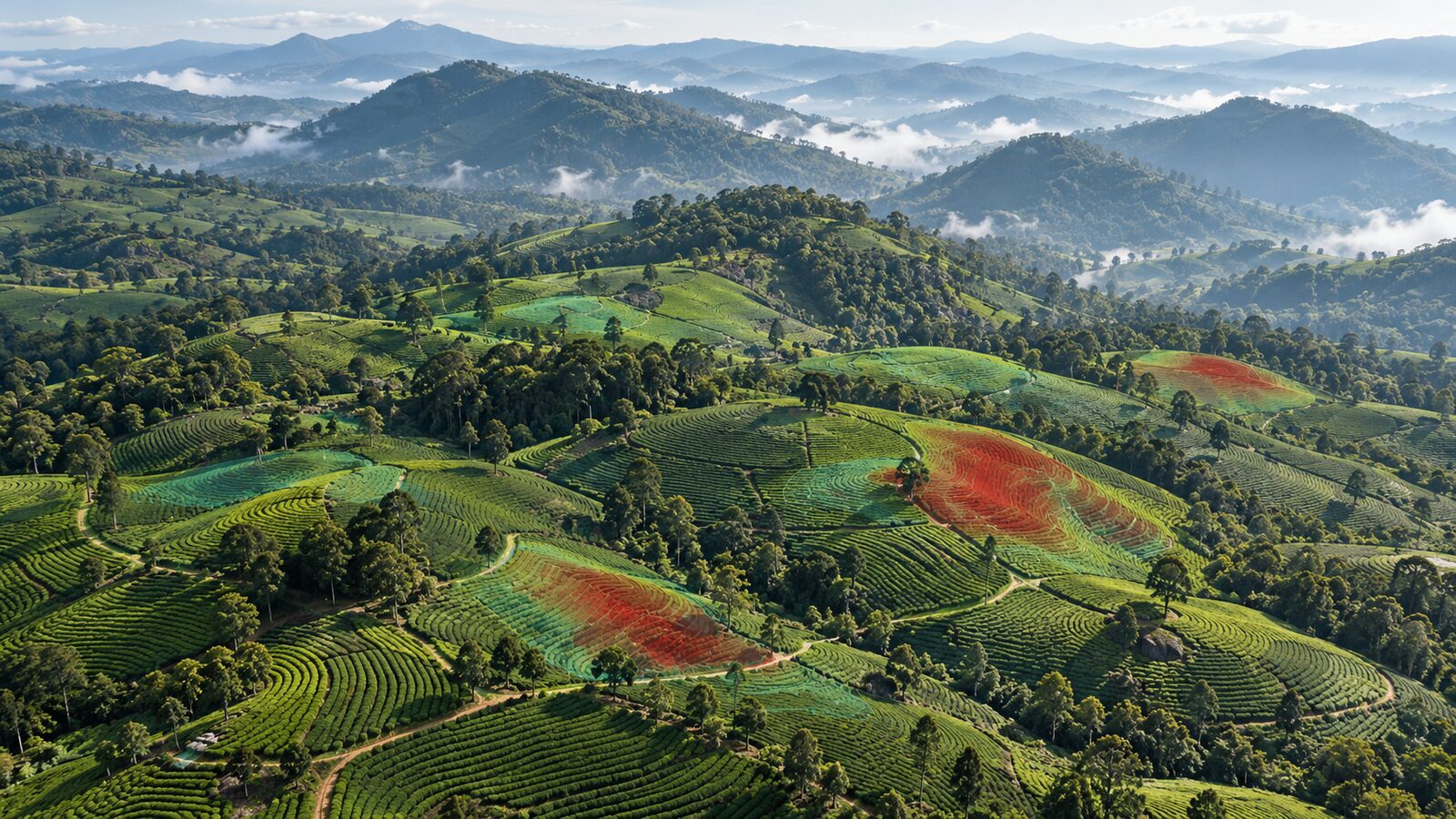
Read the anomaly layer comparatively. Red areas are lower than the chosen historical July to August reference, white is close to it, and blue is higher. The colour stretch of minus 0.2 to plus 0.2 is a display decision, not a universal threshold. Inspect the value distribution and adjust the stretch only to make meaningful variation visible. Do not convert colours directly into categories such as “stressed” and “healthy”.
Add a regional time-series check
A map can make an isolated target season look persuasive. Add a chart before interpreting it. GEE's ui.Chart.image.series reduces every image in an ImageCollection over a supplied region, using a reducer and scale that you specify. Here, the chart shows the mean quality-filtered EVI over your polygon through time.
var chart = ui.Chart.image.series({
  imageCollection: evi.filterDate('2001-01-01', '2026-01-01'),
  region: roi,
  reducer: ee.Reducer.mean(),
  scale: 250,
  xProperty: 'system:time_start'
}).setOptions({
  title: 'Nilgiris regional MODIS EVI',
  hAxis: {title: 'Date'},
  vAxis: {title: 'EVI'},
  lineWidth: 1,
  pointSize: 2,
  colours: ['238443']
});

print(chart);
Look for the usual seasonal envelope, then locate the target period within it. If the target is a clear low point relative to comparable dates, the anomaly map has a stronger case for follow-up. If the chart is incomplete or unusually jagged, first inspect whether strict quality masking has left too few observations. It is better to state that the data are insufficient than to fill a gap with an unexamined result.
For a single seasonal summary, use reduceRegion on the target, baseline and anomaly images. Earth Engine recommends specifying a scale or a CRS and transform when reducing a region. Explicitly use the product's 250 m nominal scale here, rather than allowing an unintended default to govern the calculation.
var summary = anomaly.reduceRegion({
  reducer: ee.Reducer.mean().combine({
    reducer2: ee.Reducer.stdDev(),
    sharedInputs: true
  }),
  geometry: roi,
  scale: 250,
  maxPixels: 1e8
});

print('Mean and standard deviation of EVI anomaly', summary);
The mean reports the broad directional departure within the polygon. The standard deviation shows whether that departure is spatially similar or varied. Neither statistic establishes why it happened. Use them to prioritise visual checks, local weather context, field observations or a follow-on Sentinel-2 analysis where detail is needed.
The beginner mistake that changes the conclusion
The most common mistake is treating a 250 m MODIS pixel as if it were an individual tea block. In the Nilgiris, one pixel can include tea, trees, roads, buildings, exposed ground or another land cover. Its EVI is the mixed spectral response of what falls inside that pixel, not a pure plantation measurement.
Avoid this in three ways. First, analyse broad, internally meaningful zones rather than very small polygons. Second, retain the native 250 m analysis scale. Setting scale: 10 does not create 10 m MODIS information; it only resamples the available signal. Third, use the anomaly map as a screening layer and verify highlighted areas with higher-resolution imagery, field records or local knowledge before writing a finding about a tea estate.
Another avoidable error is comparing a target monsoon period to a dry-season baseline. A negative result may then describe normal phenology rather than an unusual condition. Keep the same calendar window for target and baseline, document it in the map title, and preserve the script with your exported output.
A compact reporting template
For a portfolio map or analyst note, report five items alongside the figure: the collection name and version, the EVI quality rule, the target window, the baseline years, and the spatial scale. Then state the interpretation carefully: “areas with lower July to August EVI relative to the 2001 to 2020 July to August median”. That wording says exactly what the calculation supports.
This is also a useful recruiter-facing habit. It demonstrates that you can distinguish a reproducible remote-sensing observation from an unsupported operational claim. The strength of the analysis is not a dramatic colour ramp. It is the transparent link between question, data resolution, quality handling, comparison period and validation plan.
Frequently asked questions
Is EVI better than NDVI for Nilgiris tea landscapes?
EVI is a useful complementary choice where vegetation is dense because the MOD13Q1 documentation describes it as reducing canopy-background variation and retaining sensitivity in dense vegetation. It is not automatically better for every task, so inspect both indices when the interpretation warrants it.
Can this workflow measure tea yield?
No, this workflow measures a seasonal spectral anomaly, not tea yield. Any relationship with yield would need field yield records, an explicit modelling design, validation and careful treatment of mixed pixels, management practices and weather effects.
Why should I use a 250 m scale in the chart and summary?
Use 250 m because it matches the nominal pixel size of the MOD13Q1 EVI product. Choosing a finer analysis scale cannot add spatial detail that the source observation does not contain and can encourage overconfident plot-level interpretation.
What should I do with a strongly negative anomaly?
Treat a strongly negative anomaly as a follow-up priority, not a diagnosis. Check the quality mask, compare the chart with the same season in earlier years, inspect high-resolution imagery, and seek field or local contextual evidence before assigning a cause.
References
- Google Earth Engine Data Catalog, MOD13Q1.061 Terra Vegetation Indices 16-Day Global 250m
- Google Earth Engine API reference, ui.Chart.image.series
- Google Earth Engine guide, Statistics of an Image Region
Cover image: AI-generated illustration (ChatGPT image generation), not satellite data.
Researched and drafted with AI assistance; sources are linked for verification.