Google Earth Engine: cloud remote sensing for everyone
Google Earth Engine puts decades of satellite data and planetary-scale processing in your browser. Here is what it is, why it matters, and how to start.
- Published
- Updated
- Place
- India
- By
- Jannat Khosla
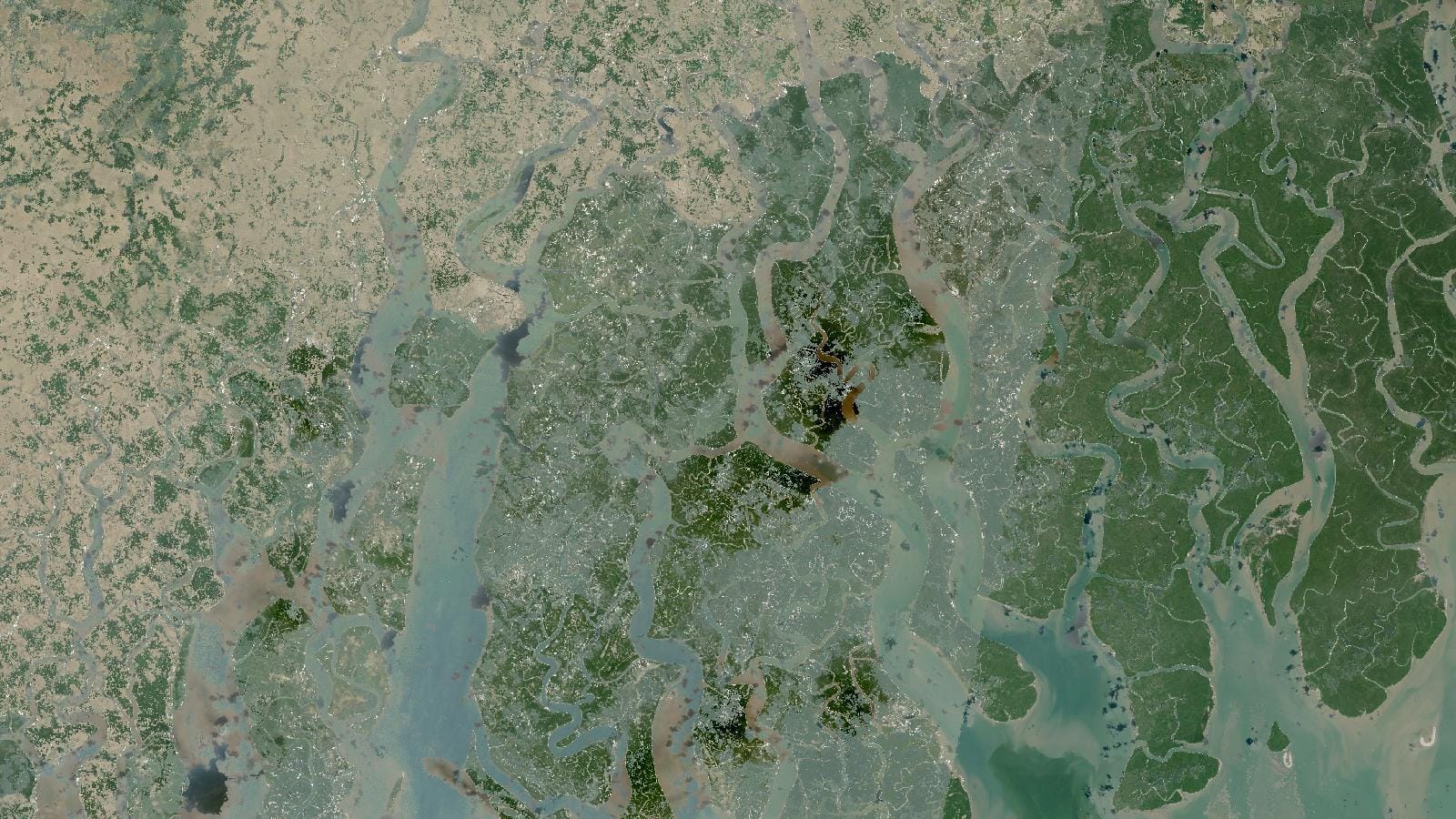
Cover: Landsat imagery of India, NASA (public domain).
Google Earth Engine (GEE) is a free cloud platform that lets you analyse decades of satellite imagery directly in your browser, without downloading a single file. Google stores the data, Google runs the computation, and you just write a short script to ask your question. For anyone working in remote sensing, that changes how the work feels day to day.
I came to GEE while doing land and water studies across Punjab and Delhi NCT, and it quietly removed most of the friction I used to fight with. This post explains what GEE is, why planetary-scale processing matters, how you can build an NDVI time series with no downloads, and how to get started this week.
What is Google Earth Engine?
Google Earth Engine is two things working together. First, it is a public data catalog holding petabytes of imagery: the full Landsat archive going back to the 1970s, Sentinel-2, Sentinel-1 radar, MODIS, climate and elevation datasets, and many more. Second, it is a processing engine that runs your analysis on Google's servers instead of your laptop.
You write code in either the JavaScript Code Editor (the browser tool most people start with) or the Python API. You point at a dataset, filter it by date and area, run a calculation, and pull back a map or a chart. The heavy lifting happens in the cloud.
The plain way to put it: the data and the computer both live on the internet, and you send instructions to them.
Why planetary-scale cloud processing matters
If you have ever done remote sensing the traditional way, you know the pain. You search a portal, download large scenes one by one, wait, unzip them, load them into QGIS or ArcGIS Pro, and only then start the actual analysis. Studying a few years of change over a whole state could mean hundreds of gigabytes and several days of just preparing data.
GEE removes that bottleneck. Here is why it matters:
- No downloads for analysis. The imagery stays on Google's side. You only export final results, like a single NDVI map or a CSV of values.
- Scale you cannot reach on a laptop. You can run a calculation over an entire district, state, or the whole of India in minutes, because the work is split across many machines.
- Long time series become easy. Asking for every clear Sentinel-2 image over a farm from 2019 to 2025 is a few lines of code, not a download marathon.
- Reproducibility. Your script is the method. Share it, and someone else gets the exact same result. That is good science and good documentation.
- Free for research and education. For students and researchers in India and elsewhere, that lowers the barrier a lot.
For my Punjab work on vegetation and water indices using Landsat, and the Delhi NCT study using Sentinel-2, this scale is exactly the point. You are not looking at one scene, you are looking at patterns across time and space.
NDVI time series without downloads
NDVI, the Normalised Difference Vegetation Index, is the classic example, so let me use it.
NDVI measures how green and healthy vegetation is, using the near-infrared and red bands:
NDVI = (NIR - Red) / (NIR + Red)
Values run from -1 to 1. Water and bare soil sit low, dense healthy vegetation sits high. By tracking NDVI over months and years, you can watch a crop grow, spot drought stress, or follow how a city's green cover changes.
Here is the idea of how a Sentinel-2 NDVI time series works in GEE, in plain steps:
- Define your area. Draw a polygon over your field, district, or city, or import a boundary.
- Load the image collection. Call the Sentinel-2 surface reflectance collection.
- Filter. Restrict by your date range and your area, and keep only images with low cloud cover.
- Compute NDVI per image. Map a small function across the collection that calculates NDVI for every scene using the NIR (B8) and red (B4) bands.
- Chart it. Use the charting tools to plot mean NDVI over time for your area.
A short JavaScript sketch looks like this:
var s2 = ee.ImageCollection('COPERNICUS/S2_SR_HARMONIZED')
  .filterBounds(aoi)
  .filterDate('2023-01-01', '2024-12-31')
  .filter(ee.Filter.lt('CLOUDY_PIXEL_PERCENTAGE', 20));

var withNdvi = s2.map(function (img) {
  var ndvi = img.normalizedDifference(['B8', 'B4']).rename('NDVI');
  return img.addBands(ndvi);
});

print(ui.Chart.image.series(withNdvi.select('NDVI'), aoi, ee.Reducer.mean(), 10));
The result is a chart of how vegetation rises and falls through the seasons, built from many satellite images, with nothing downloaded to your machine. You only export if you want the final figures or a GeoTIFF for a map.
The same logic extends to other indices. Swap the bands and you get NDWI for water (using green and NIR) or NDBI for built-up areas (using SWIR and NIR). In my Delhi NCT industrial study I combined NDVI, NDWI, and NDBI with buffer zones and zonal statistics, and GEE made it practical to look at these together across the territory.
How to get started
You do not need a powerful computer or paid software. You need a browser and a bit of patience with code.
- Register. Sign up for Google Earth Engine with a Google account. Access is free for research and education, and registration is quick.
- Open the Code Editor. Go to the JavaScript Code Editor in your browser. It has a map, a code panel, and an output console all in one place.
- Learn by changing examples. The official documentation and the public script gallery are full of working snippets. Copy one, change the dates and the area, and watch what happens.
- Start small. Pick a place you know well, your campus, your city, a familiar farm. Familiarity makes the numbers easier to sanity-check.
- Move to Python when ready. Once the concepts click, the Python API and the
geemaplibrary let you build maps and analysis in notebooks, which fits nicely with a wider data science workflow.
A friendly tip from experience: GEE thinks in collections and server-side operations, not in single files looping on your machine. That mental shift takes a few days. Once it lands, the platform feels less like software and more like asking direct questions of the planet.
Bringing it together
Google Earth Engine puts serious remote sensing within reach of students, researchers, and practitioners who do not have a lab full of servers. The data is already there, the processing happens in the cloud, and your method lives in a shareable script. Whether you are tracking crop health in Punjab, mapping water indices, or studying urban growth in Delhi NCT, you can go from question to answer faster than the old download-heavy way ever allowed.
If you have wanted to try satellite analysis but felt blocked by data size and software cost, GEE is a genuinely good place to begin. Open the Code Editor, pick a place you care about, and plot your first NDVI time series.
Frequently asked questions
What is Google Earth Engine used for?
Google Earth Engine is a free cloud platform that lets you analyse decades of satellite imagery, including the full Landsat archive and Sentinel-2, directly in your browser without downloading a single file, since Google stores the data and runs the computation.
Do you need to download satellite imagery to use Google Earth Engine?
No. The imagery stays on Google's side, and you only export final results such as an NDVI map or a CSV of values, which removes the download-heavy bottleneck of traditional remote sensing workflows.
How is NDVI calculated in Google Earth Engine?
NDVI is calculated as (NIR - Red) / (NIR + Red) using a Sentinel-2 image's near-infrared (B8) and red (B4) bands; values run from -1 to 1, with water and bare soil low and dense healthy vegetation high.
Is Google Earth Engine free to use?
Yes, access is free for research and education; you just need a Google account and a browser, then learn the JavaScript Code Editor or Python API to run your analysis in the cloud.
Need this done for your own study area? Send me the area and what you need.
Cite this post
Khosla, J. (2026, March 26). Google Earth Engine: cloud remote sensing for everyone. Jannat Khosla. https://jannatkhosla.com/blog/google-earth-engine-cloud-remote-sensing-for-everyone
› BibTeX
@online{khosla2026google,
  author = {Khosla, Jannat},
  title = {Google Earth Engine: cloud remote sensing for everyone},
  date = {2026-03-26},
  url = {https://jannatkhosla.com/blog/google-earth-engine-cloud-remote-sensing-for-everyone}
}