Mapping Loktak Lake Open Water with Sentinel-2 MNDWI
A practical Google Earth Engine workflow for mapping open water in Loktak Lake using Sentinel-2 surface reflectance, MNDWI, cloud masking and area summaries.
Why MNDWI is useful for Indian wetland mapping
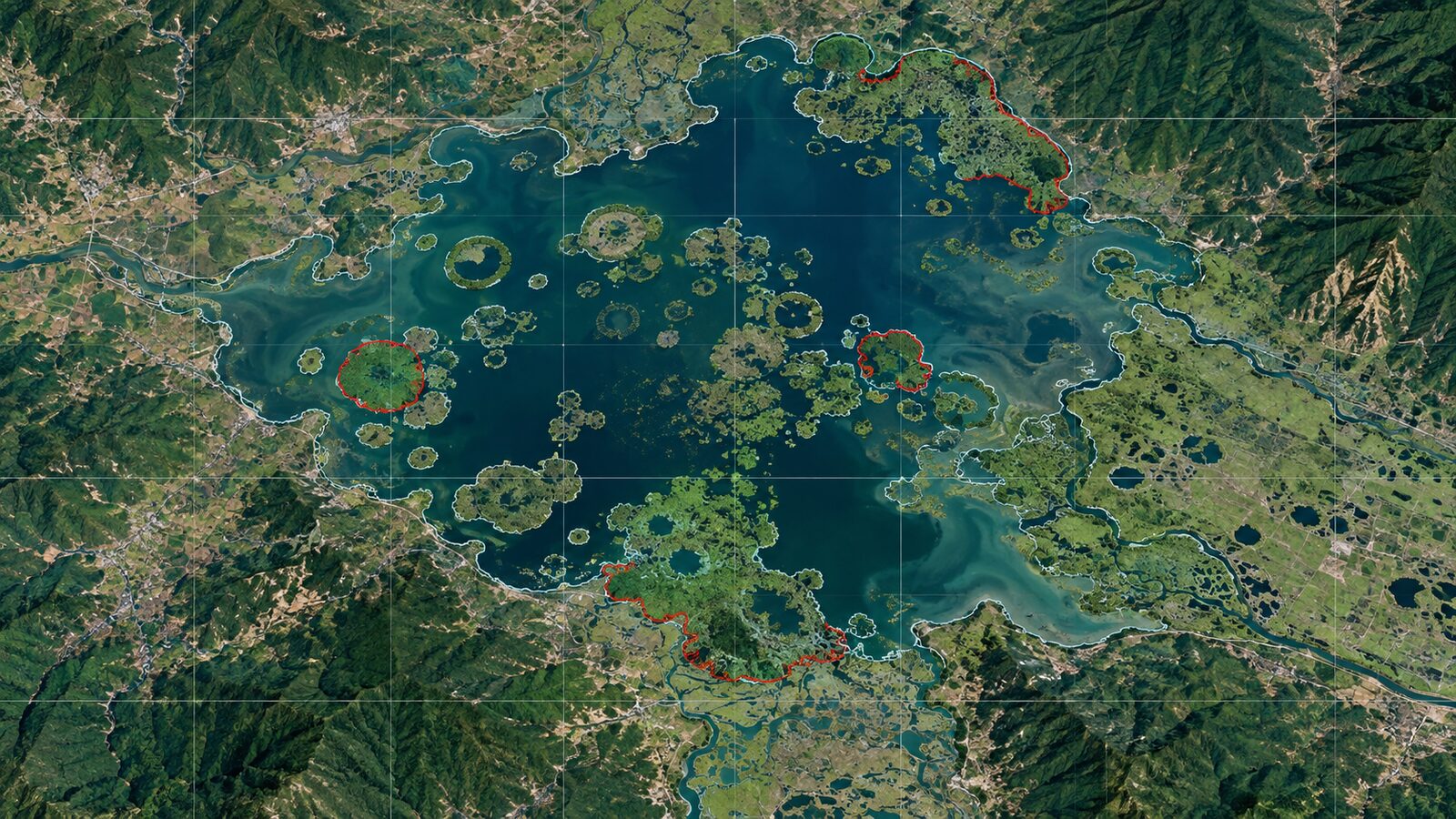
Loktak Lake in Manipur is a good classroom example for water mapping because it is not a simple blue polygon on a map. The lake contains open water, floating phumdis, marshy margins, fishery areas and settlement edges. The Loktak Development Authority describes it as one of the largest freshwater lakes in India, with an area of about 26,000 hectares, and also notes that its Remote Sensing and GIS laboratory monitors the wetland regime and the wider Manipur River basin.
For a GIS student or early-career analyst, the practical question is: how do we separate open water from wetland vegetation and surrounding built-up land using satellite data? A common first answer is NDWI. A better answer for many mixed landscapes is MNDWI, the Modified Normalised Difference Water Index.
Hanqiu Xu proposed MNDWI by replacing the near-infrared band used in NDWI with a middle infrared, or shortwave infrared, band. The logic is simple: open water is relatively bright in green wavelengths and dark in SWIR, while vegetation, soil and built-up surfaces usually respond differently. Xu found that MNDWI can suppress built-up land, vegetation and soil noise more effectively than NDWI in urban or mixed backgrounds.
Sentinel-2 is well suited to this recipe. ESA states that the Sentinel-2 MSI has 13 spectral bands, a 290 km swath, and spatial resolutions of 10 m, 20 m and 60 m depending on the band. In Google Earth Engine, the COPERNICUS/S2_SR_HARMONIZED collection provides Level-2A surface reflectance, with green band B3 at 10 m and SWIR1 band B11 at 20 m. Because MNDWI uses both bands, the working resolution should normally be treated as 20 m unless you deliberately resample and document why.
The index in Sentinel-2 terms
For Sentinel-2, use:
MNDWI = (B3 - B11) / (B3 + B11)
Here, B3 is the green band and B11 is SWIR1. Earth Engine lists B3 at 560 nm for Sentinel-2A and 559 nm for Sentinel-2B, with 10 m pixels. It lists B11 at 1613.7 nm for Sentinel-2A and 1610.4 nm for Sentinel-2B, with 20 m pixels. The surface reflectance bands in the harmonised collection are stored as unsigned 16-bit data scaled by 10000, so divide by 10000 before interpreting reflectance values or use a mask function that does this consistently.
A positive MNDWI value often indicates water, and Xu suggested that a zero threshold can be useful as a default starting point. Do not treat zero as a universal law. In Loktak, floating vegetation, shadow, turbid water and mixed pixels along phumdis can all shift values. The threshold should be checked against true-colour imagery, high-resolution basemaps where appropriate, field notes if available, and local knowledge.
Worked example in Google Earth Engine
This example maps open water around Loktak Lake for a relatively cloud-filtered pre-monsoon window. The purpose is not to publish an official lake area. It is to create a reproducible screening layer that you can refine for coursework, internship portfolios or field planning.
- Open the Earth Engine Code Editor.
- Draw or paste a polygon around Loktak Lake and name it
aoi, or use the rectangle below as a quick start. - Filter Sentinel-2 Level-2A surface reflectance by date, bounds and cloudiness.
- Mask clouds using the Scene Classification Layer, then compute MNDWI.
- Threshold the index and calculate area.
var aoi = ee.Geometry.Rectangle([93.70, 24.43, 93.92, 24.63]);

function maskS2sr(image) {
  var scl = image.select('SCL');
  var clear = scl.neq(3)   // cloud shadow
    .and(scl.neq(8))       // cloud medium probability
    .and(scl.neq(9))       // cloud high probability
    .and(scl.neq(10))      // cirrus
    .and(scl.neq(11));     // snow or ice

  return image.updateMask(clear)
    .select(['B3', 'B11'])
    .multiply(0.0001)
    .copyProperties(image, ['system:time_start']);
}

var s2 = ee.ImageCollection('COPERNICUS/S2_SR_HARMONIZED')
  .filterBounds(aoi)
  .filterDate('2024-03-15', '2024-05-15')
  .filter(ee.Filter.lt('CLOUDY_PIXEL_PERCENTAGE', 30))
  .map(maskS2sr);

var composite = s2.median().clip(aoi);

var mndwi = composite.normalizedDifference(['B3', 'B11'])
  .rename('MNDWI');

var water = mndwi.gt(0).rename('open_water');

Map.centerObject(aoi, 11);
Map.addLayer(composite, {bands: ['B3', 'B3', 'B3'], min: 0.02, max: 0.25}, 'Green reflectance');
Map.addLayer(mndwi, {min: -0.5, max: 0.6, palette: ['7a1f1f', 'f7f7f7', '0b63b6']}, 'MNDWI');
Map.addLayer(water.selfMask(), {palette: ['1d70b8']}, 'Open water mask');

var areaImage = water.multiply(ee.Image.pixelArea());
var area = areaImage.reduceRegion({
  reducer: ee.Reducer.sum(),
  geometry: aoi,
  scale: 20,
  maxPixels: 1e9
});

print('Open water area, square metres', area.get('open_water'));
print('Image count', s2.size());
The scale: 20 setting is intentional because B11 is a 20 m band. If you run the same calculation at 10 m, Earth Engine can still produce a result, but you may give readers the false impression that the SWIR information was observed at 10 m. For a professional workflow, match the area calculation to the coarser source band or clearly state the resampling choice.
Reading the result like an analyst
Start by looking at the MNDWI layer, not only the binary mask. Deep open water should generally appear brighter than vegetation and land. The mask should capture the larger open-water patches but may break up around floating vegetation and shallow margins. That is a feature of the landscape, not just a software problem.
Next, compare the water mask with a true-colour or false-colour view. If settlement edges or wet soil are being classified as water, raise the threshold slightly, for example by testing 0.05 or 0.10. If known open-water channels are missing, lower the threshold or use a percentile composite instead of a median composite. Keep a small table of threshold values and mapped area so that your choice is auditable.
For a more rigorous portfolio piece, digitise 50 to 100 validation points across open water, phumdi, wet soil, vegetation and built-up land. Use stratified points rather than only random points, because narrow wetland edges are easy to miss. Then report the confusion matrix and explain which classes are most often confused. Recruiters do not expect perfection from a student project, but they do notice whether you understand uncertainty.
Exporting to QGIS for cartography
Earth Engine is excellent for computation, but QGIS is often better for map finishing and manual inspection. Export the MNDWI image and the binary water mask as GeoTIFFs, then open them in QGIS. The QGIS raster calculator can perform algebraic operations using raster layers, and its raster layer zonal statistics tool can report area, sum, count, minimum, maximum and mean for raster zones.
In QGIS, style the MNDWI raster with a diverging colour ramp and keep the water mask as a transparent blue overlay. Add village points, road data or field GPS tracks if you have permission to use them. For area summaries by administrative unit or sample blocks, use zonal statistics only after checking that all layers use an appropriate projected CRS for area measurement. A geographic CRS in degrees is fine for display, but it is not the right basis for hectare calculations.
Common beginner mistake: trusting the threshold too quickly
The most common beginner mistake is writing MNDWI > 0 and treating the output as final truth. It is only a first-pass rule. Mixed pixels along wetland margins, cloud shadow, dark soil, aquatic vegetation and seasonal water level changes can all affect the index.
Avoid this by saving three layers: the reflectance composite, the continuous MNDWI raster and the thresholded mask. Check them together. Then document your date range, cloud mask, threshold, scale and validation method. A modest map with clear assumptions is stronger than a polished map with hidden decisions.
Where this fits in Indian geospatial work
This workflow is useful for wetland inventories, field visit planning, water spread comparison before and after monsoon, and rapid screening of encroachment-prone margins. It is not a substitute for hydrological modelling, official wetland boundary notification or ecological field surveys. Its strength is speed and transparency.
For Indian students, Loktak also teaches a broader lesson: remote sensing indices are not just formulas. They are choices about bands, pixel size, season, landscape context and validation. Once you can explain those choices clearly, you are no longer just running a recipe. You are doing geospatial analysis.
Frequently asked questions
Is MNDWI always better than NDWI?
No, MNDWI is not always better than NDWI. It is often stronger where built-up land, soil or vegetation confuse open-water extraction, but every threshold should be checked against imagery and validation samples for the specific season and landscape.
Why use 20 m scale if Sentinel-2 has 10 m bands?
Use 20 m scale because Sentinel-2 B11, the SWIR1 band used in MNDWI, has 20 m pixels in the Earth Engine dataset. Reporting 10 m output without explaining resampling can overstate the real spatial detail of the SWIR information.
Can this workflow map phumdis in Loktak Lake?
No, this workflow maps open water more directly than phumdis. Floating vegetation may appear as non-water or mixed pixels, so phumdi mapping needs additional features such as NDVI, seasonal behaviour, texture, field data and careful class definitions.
Should I use one image or a median composite?
Use a median composite when clouds, haze or short-term noise affect individual scenes. Use a single carefully chosen image when the exact date matters, such as matching field observations or a reported water-level condition.
References
- https://www.esa.int/Applications/Observing_the_Earth/Copernicus/Sentinel-2/Facts_and_figures
- https://developers.google.com/earth-engine/datasets/catalog/COPERNICUS_S2_SR_HARMONIZED
- https://www.researchgate.net/publication/232724072_Modification_of_Normalized_Difference_Water_Index_NDWI_to_Enhance_Open_Water_Features_in_Remotely_Sensed_Imagery
- https://documentation.qgis.org/3.44/en/docs/user_manual/processing_algs/qgis/rasteranalysis.html
- https://www.loktaklake.org/about/
Cover image: AI-generated illustration (ChatGPT image generation), not satellite data.
Researched and drafted with AI assistance; sources are linked for verification.