Measure Mangrove Area Reliably in QGIS: Bhitarkanika CRS Workflow
A practical QGIS workflow for calculating defensible mangrove polygon areas in Bhitarkanika, from checking CRS metadata to choosing ellipsoidal or projected measurements.
Why an area result needs a method
A polygon area looks like a simple GIS output, but it is also a measurement decision. This matters when a mangrove map is used to compare restoration plots, report change, prioritise field checks or support a job portfolio. A value copied from QGIS without recording its coordinate reference system, measurement method and units is difficult for another analyst to reproduce.
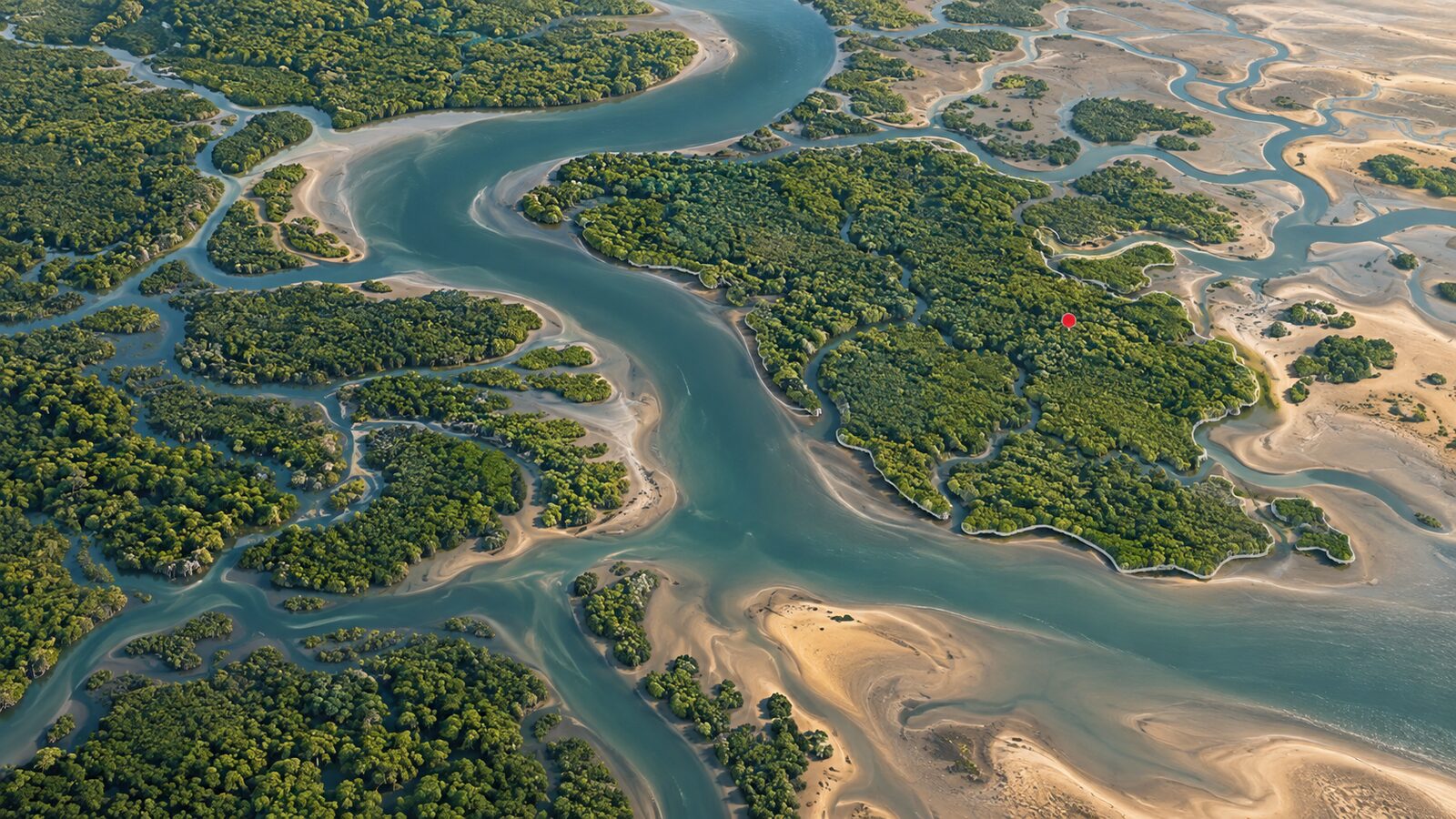
This walkthrough uses Bhitarkanika in Odisha as a worked setting. The conservation area lies in the estuarine region of the Brahmani, Dhamra and Baitarani rivers, and it was designated as Ramsar Site 1205 in 2002. That mixture of tidal creeks, islands and vegetated edges makes it a good example of why clean polygon boundaries and explicit measurement choices matter. National Centre for Sustainable Coastal Management Ramsar Information Sheet
The aim is not to claim a definitive mangrove extent from a screen digitisation. The aim is to create a repeatable area field for a set of polygons, then document what that field means.
The core idea: map display is not analysis CRS
Many Indian datasets arrive in geographic coordinates, commonly WGS 84 latitude and longitude, identified as EPSG:4326. Longitude and latitude are angular units, expressed in degrees. Degrees are excellent for locating a feature, but they are not a sensible unit to treat as metres or square metres.
QGIS can place layers with different CRSs together by transforming them on the fly for display. This is useful for viewing a web basemap, GPS points and a boundary together. It does not mean that every analysis is automatically taking place in the project CRS. QGIS documentation explicitly warns that processing works with the underlying layer CRS and that layers which look aligned on the canvas may still need a proper reprojection before analysis. QGIS, Working with Projections
For a local Bhitarkanika study, WGS 84 / UTM zone 45N, EPSG:32645, is a practical projected CRS. It uses metres and its published area of use spans 84°E to 90°E, which includes Bhitarkanika. Its central meridian is 87°E. EPSG:32645 definition
That does not make UTM 45N the only valid choice. The appropriate choice depends on the location, spatial extent, source datum and purpose. A district-scale mangrove exercise near Bhitarkanika can use this metre-based CRS conveniently. A national comparison needs a deliberately selected equal-area approach or geodesic measurement strategy, not one UTM zone imposed on all of India.
Two valid ways to calculate area in QGIS
QGIS offers two ideas that beginners often mix up.
Ellipsoidal area follows the ellipsoid selected in Project Properties. QGIS documents that the $area expression respects the project ellipsoid and area units. This is useful when you want a geodesic-style measurement while retaining a geographic layer. QGIS expression reference
Planimetric area is calculated in the geometry's coordinate system. The area(geometry) expression is always planimetric, and its returned units follow that geometry's CRS. For a polygon reprojected to UTM 45N, that means an area in square metres. QGIS expression reference
Neither option is a magic accuracy button. A perfect formula cannot repair a polygon drawn from a cloudy image, a boundary shifted by a datum problem or a coarse classification. Choose one method deliberately, use it consistently for the comparison you are making, and state it in the output metadata.
Worked workflow: area of mapped mangrove polygons
Assume you have a polygon layer called bhitarkanika_mangrove, digitised from imagery or derived from a classification. Before calculating anything, duplicate the source layer or save the analysis result as a separate GeoPackage layer. Keep the original intact so you can revisit the geometry later.
-
Inspect the incoming CRS. In the Layers panel, right-click the layer, choose Properties, then open Information or Source. Record the stated CRS. If it is EPSG:4326, its coordinates are degrees. If the CRS is missing, do not guess from where the layer appears on the map. Check the data provider's metadata, the accompanying documentation or known coordinate ranges first.
-
Set a clear project context. Open Project > Properties > General. Set distance units to metres and area units to hectares or square kilometres, depending on the reporting need. In the same project properties area, select the measurement ellipsoid you intend to use, such as WGS 84, if you will create an ellipsoidal check field. QGIS notes that these settings affect derived area values, the field-calculator update bar and the measure dialogue. QGIS configuration guide
-
Reproject a copy for local planimetric analysis. Open Processing Toolbox, search for Reproject layer, select the mangrove polygons and choose
EPSG:32645 - WGS 84 / UTM zone 45Nas the target CRS. Save the result with a transparent name, for examplebhitarkanika_mangrove_utm45n. QGIS describes this tool as creating a layer in a different CRS while retaining the input features and attributes. QGIS Reproject layer documentation -
Check the geometry before measuring. Zoom to creek edges, islands and narrow strips. Use Vector > Geometry Tools > Check Validity if polygons may contain self-intersections, gaps or other problems. Remove obvious duplicate features only after checking whether they represent genuinely separate mapping records. A numeric area field can be calculated for an invalid polygon, but that does not make it defensible.
-
Create a square-metre field. Open the reprojected layer's attribute table and toggle editing. Open the Field Calculator, tick Create a new field, name it
area_m2, choose a decimal number type, and use:area($geometry)Because the copied geometry is in UTM 45N, this planimetric result is in square metres. Do not use this exact expression on the original latitude-longitude layer and expect square metres.
-
Create a reporting field in hectares. Add a second decimal field named
area_hawith:"area_m2" / 10000Keeping both fields is useful. Square metres preserve the direct calculated value; hectares are easier to read in a table or map. Round only in labels or final presentation, not in the stored calculation field.
-
Create an independent ellipsoidal check. On the original layer, or on a copy where the project's measurement ellipsoid is set intentionally, add
area_ellip_hausing:$area / 10000This is not a demand that both fields match character for character. It is a transparent check that can reveal an unexpectedly wrong CRS, a unit error or a badly selected analysis method. Record which field is the official reported value.
-
Summarise without hiding variation. Use Statistics on
area_ha, or Group Stats if you have a zone, island or year field. Report the polygon count, total area, CRS, date of imagery or source data, digitising rule and whether tidal water or mixed vegetation was included. Those notes make the number interpretable.
A short decision rule for Indian projects
Use an ellipsoidal calculation when you need a measurement over geographic data, especially for a broad or multi-zone study where one local projected CRS would be awkward. Use a suitable local projected CRS when your study is compact and you need conventional planar GIS operations, topology editing and area fields in metres. For a study that crosses UTM zones, do not casually select the zone containing the largest share of the map. Define a project-wide measurement design and explain it.
The same rule applies beyond mangroves. It helps with farm plots in Punjab, ward polygons in Bengaluru, mining leases in Jharkhand and catchment fragments in the Himalaya. The layer's location and analysis purpose should select the CRS, not whichever EPSG code happened to be loaded first.
The beginner mistake to avoid
The common mistake is changing the project CRS to UTM and then assuming an existing WGS 84 layer has become a UTM layer. It has not. QGIS can redraw it in the new project CRS, while its stored coordinates and geometry CRS remain unchanged. This can lead to area($geometry) returning an area based on degrees rather than square metres.
Avoid this by treating Set or Assign Projection and Reproject Layer as different operations. Assigning a CRS changes how QGIS interprets existing numbers, without moving the geometry. QGIS says that its Assign Projection tool creates a layer with the same features and geometries, but with a CRS assigned. Reproject Layer performs the coordinate transformation into a target CRS. Assign a CRS only when you know the file has missing or incorrect CRS metadata. Reproject when the data are correctly identified but you need a new analytical CRS. QGIS vector CRS tools
What to include in a portfolio map
A recruiter or project reviewer should be able to see that the work is analytical, not just cartographic. Add a compact methods note to the layout or accompanying README: source and acquisition date, source CRS, analysis CRS, area expression, measurement units, polygon inclusion rule and limitations. State whether the boundary represents visibly vegetated canopy, a classification class, a field-survey boundary or an administrative unit.
For Bhitarkanika, also describe the tidal context. A boundary traced on one image date can represent exposed mud, inundated creek or vegetation differently on another date. Calling the result “mapped mangrove polygon area on the analysed imagery” is more honest than presenting it as an absolute ecological inventory.
Frequently asked questions
Can I calculate hectares directly from an EPSG:4326 layer?
Yes, use $area with a deliberately configured project ellipsoid and area units, then convert the result if needed. Do not use area($geometry) on longitude-latitude geometry and label its output as hectares, because that planimetric expression follows the geometry CRS units.
Is EPSG:3857 suitable for measuring mangrove area?
No, EPSG:3857 should not be your default measurement CRS for this task. It is widely useful for web-map display, but a local projected CRS or an intentionally configured ellipsoidal calculation provides a clearer, more defensible measurement workflow.
Should all India-wide polygons use one UTM zone?
No, an India-wide dataset should not automatically be measured in one UTM zone. Use an ellipsoidal method or select and document a projection designed for the full analysis extent, then apply that choice consistently to every compared feature.
Why do my planimetric and ellipsoidal area fields differ?
They can differ because they use different measurement models and settings. First verify the source CRS, target CRS, units and geometry validity; then decide which field answers your stated question rather than averaging the two or treating one difference as an error.
References
- QGIS User Guide: project configuration and measurements
- QGIS User Guide: area expressions
- QGIS User Guide: vector CRS tools and Reproject layer
- EPSG:32645, WGS 84 / UTM zone 45N
- National Centre for Sustainable Coastal Management: Bhitarkanika
- Ramsar Sites Information Service: Bhitarkanika Mangroves
Cover image: AI-generated illustration (ChatGPT image generation), not satellite data.
Researched and drafted with AI assistance; sources are linked for verification.