Reading NDVI: turning Sentinel-2 into vegetation insight
NDVI turns red and near-infrared bands into a simple measure of how green and healthy vegetation is. Here is how I compute and read it from Sentinel-2 and Landsat in my Punjab and Delhi NCT work.
What is NDVI, in one paragraph?
NDVI, the Normalized Difference Vegetation Index, is a number between -1 and +1 that tells you how green and healthy vegetation is in a satellite pixel. It works because healthy plants reflect a lot of near-infrared (NIR) light and absorb most of the red light they receive. NDVI compares those two bands. High values mean dense, vigorous vegetation. Low or negative values mean bare soil, built-up surfaces, or water. I use it constantly in my remote sensing work across Punjab and Delhi NCT, and it is usually the first layer I compute when I open a new Sentinel-2 or Landsat scene.
The formula, and why it works
The math is simple:
NDVI = (NIR - Red) / (NIR + Red)
That is it. You take the near-infrared band, subtract the red band, and divide by their sum. The division normalizes the result, which is why every NDVI value falls neatly between -1 and +1 no matter how bright or dark the scene is.
The physics behind it is what makes it reliable. Chlorophyll in a leaf strongly absorbs red light for photosynthesis, so a healthy canopy looks dark in the red band. At the same time, the internal structure of leaf cells scatters near-infrared light, so the same canopy looks very bright in NIR. A big gap between NIR and Red means lots of active, healthy leaf area. A small gap, or none at all, means little or no living vegetation.
This is also why NDVI handles changing light conditions reasonably well. Because it is a ratio, a field that is slightly shadowed and the same field in full sun will return similar NDVI values, even though their raw brightness differs.
Which bands to use in Sentinel-2 and Landsat
The bands change with the sensor, so you have to pick the right ones.
- Sentinel-2: Red is Band 4 and NIR is Band 8, both at 10 m resolution. This is my default for field-scale work because 10 m is fine enough to see individual agricultural plots in Punjab.
- Landsat 8 and 9 (OLI): Red is Band 4 and NIR is Band 5, at 30 m. Coarser, but the archive goes back decades, which matters when you want to study change over time.
- Older Landsat (TM and ETM+): Red is Band 3 and NIR is Band 4.
For my Punjab water indices study I leaned on Landsat precisely because it let me look back across years and connect vegetation patterns to groundwater behaviour. For the Delhi NCT industrial work I used Sentinel-2, where the finer 10 m resolution helped me separate built-up zones from the thin strips of green around them.
How I actually compute it
There are two routes I use, depending on the job.
In QGIS or ArcGIS Pro
For a single scene, the raster calculator is the quickest path. After loading the bands, the expression for Sentinel-2 is simply:
(Band8 - Band4) / (Band8 + Band4)
One thing that catches people: if your bands are stored as integers, the division can truncate to zero. I cast the bands to float first so the output keeps its decimals. I also make sure both bands are surface reflectance, not raw digital numbers, so the values mean the same thing across scenes.
In Google Earth Engine
When I need a whole time series, or a clean median composite over a season, I move to Google Earth Engine. The advantage is that I never download anything. I filter the Sentinel-2 collection by date and cloud cover, mask the clouds, and compute NDVI with the built in normalizedDifference(['B8', 'B4']) method across the whole stack. For Punjab, building a cloud-free seasonal composite this way is far more honest than picking one lucky clear-sky date, because a single date can sit on an odd day in the crop calendar.
I usually validate against what I know on the ground. During my research internship at IIT Roorkee I worked with UAV photogrammetry and GNSS ground control using Emlid Reach RS3 and Trimble DA receivers, and that experience taught me to always sanity-check a remote index against real positions and real surfaces before trusting it.
How to read the numbers
Raw NDVI values map onto land cover in a fairly consistent way. As a working guide:
- Below 0: water, snow, or cloud. Water often goes clearly negative.
- 0 to 0.2: bare soil, sand, rock, built-up and paved surfaces.
- 0.2 to 0.4: sparse vegetation, stressed crops, shrubland, or early-growth fields.
- 0.4 to 0.7: healthy crops and moderate canopy. Most actively growing Punjab farmland sits in this range during the season.
- Above 0.7: dense, vigorous vegetation, such as a full crop canopy at peak or thick forest.
These bands are a starting point, not a rulebook. A wheat field at peak growth and a young paddy field will read very differently even though both are healthy. That is why I read NDVI in context: against the crop calendar, the season, and the local land use. The pattern across space and time tells the story, not a single pixel value in isolation.
How NDVI connects to NDWI and NDBI
NDVI rarely travels alone in my work. It belongs to a small family of normalized difference indices that each isolate a different surface property, and reading them together is far more powerful than reading any one.
- NDWI (Normalized Difference Water Index): built from green and NIR (or NIR and shortwave infrared, depending on the version), it highlights water and moisture. In the Punjab study, pairing NDVI with NDWI let me look at vegetation vigour and surface water together, which is what you want when groundwater is part of the question.
- NDBI (Normalized Difference Built-up Index): built from SWIR and NIR, it picks out built-up and impervious surfaces. In the Delhi NCT industrial study, I combined NDVI, NDWI and NDBI so I could separate green, water and concrete, then used buffer and zonal statistics around industrial areas to quantify how vegetation and built-up cover changed with distance.
Used as a set, NDVI tells you where life is, NDWI tells you where water is, and NDBI tells you where the city is. Stacking them turns three simple ratios into a genuine read of the landscape.
A short workflow you can reuse
If you are starting out, this is the order I follow:
- Pick your sensor and the matching Red and NIR bands.
- Use surface reflectance, and cast to float before dividing.
- Mask clouds, and prefer a seasonal composite over a single date.
- Compute NDVI, then read it against the crop calendar and local land use.
- Add NDWI and NDBI when water or built-up cover is part of your question.
NDVI is one of the simplest indices in remote sensing, and that simplicity is exactly why it stays useful from a Punjab wheat field to an industrial belt in Delhi NCT. Get the bands right, respect the season, and one ratio will quietly tell you a great deal about the ground.
Frequently asked questions
What NDVI value indicates dense vegetation in India?
NDVI values above 0.7 indicate dense, vigorous vegetation such as a full crop canopy at peak growth or thick forest, while 0.4 to 0.7 covers healthy crops and moderate canopy like most actively growing Punjab farmland.
Which Sentinel-2 bands are used to calculate NDVI?
Sentinel-2 NDVI uses Band 4 (red) and Band 8 (near-infrared), both at 10 m resolution, computed as (NIR minus Red) divided by (NIR plus Red).
Why cast raster bands to float before computing NDVI?
If bands are stored as integers, the NDVI division can truncate to zero, so casting bands to float first preserves decimal values, and bands should also be surface reflectance rather than raw digital numbers.
How does NDWI complement NDVI in vegetation analysis?
NDWI, built from green and NIR (or NIR and SWIR), highlights water and moisture, letting analysts examine vegetation vigour and surface water together, useful when groundwater is part of the question.
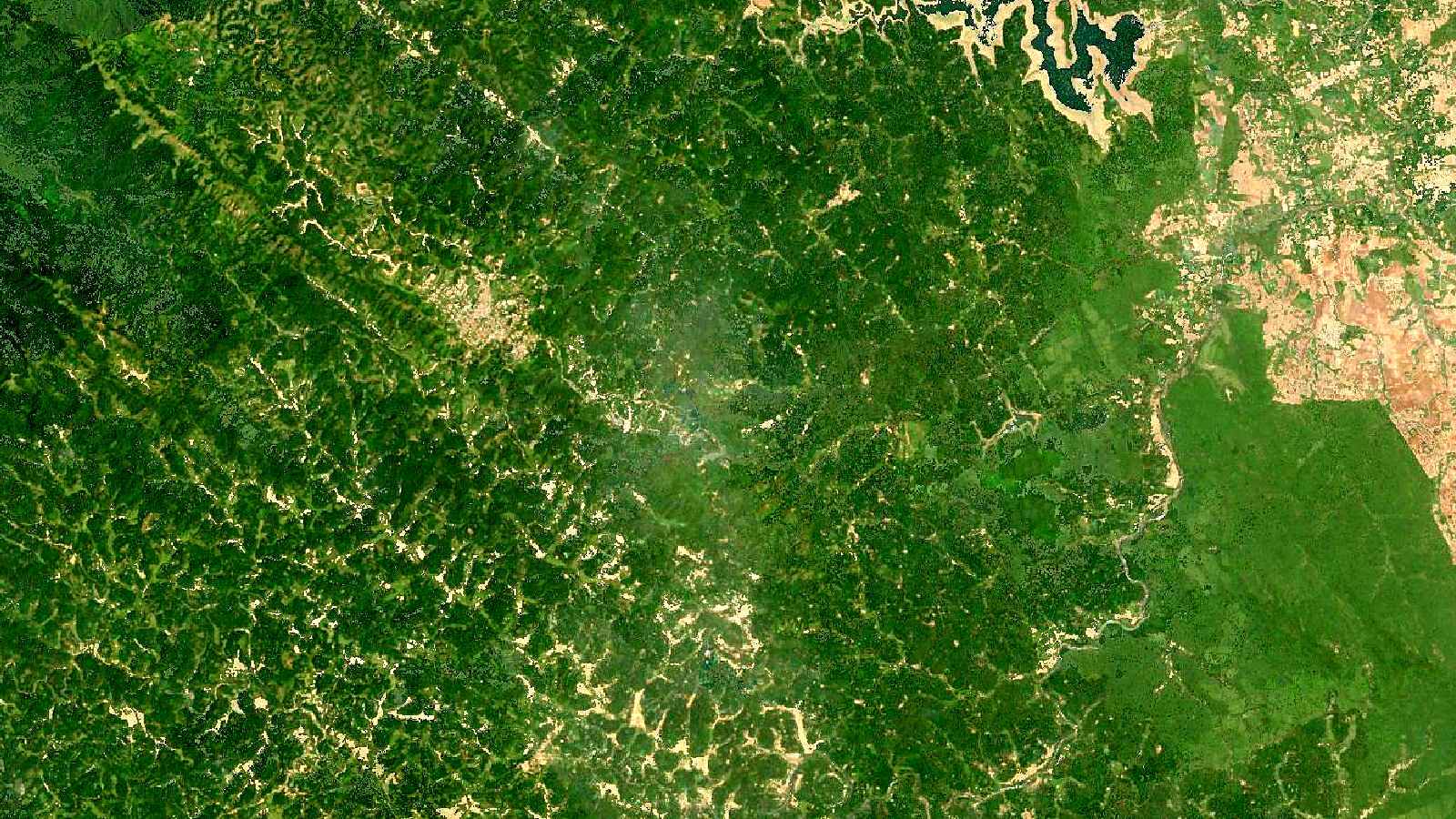
Cover image: Landsat true-colour composite of the Western Ghats around Kodagu, Karnataka (2000), NASA/USGS Landsat WELD via NASA GIBS (public domain).