Sentinel-2 Bare Soil Index in GEE for Chambal Ravines
A practical Google Earth Engine workflow for using Sentinel-2 Bare Soil Index to screen exposed soil and gully-prone ravine edges in the Chambal landscape.
Why map bare soil in the Chambal ravines?
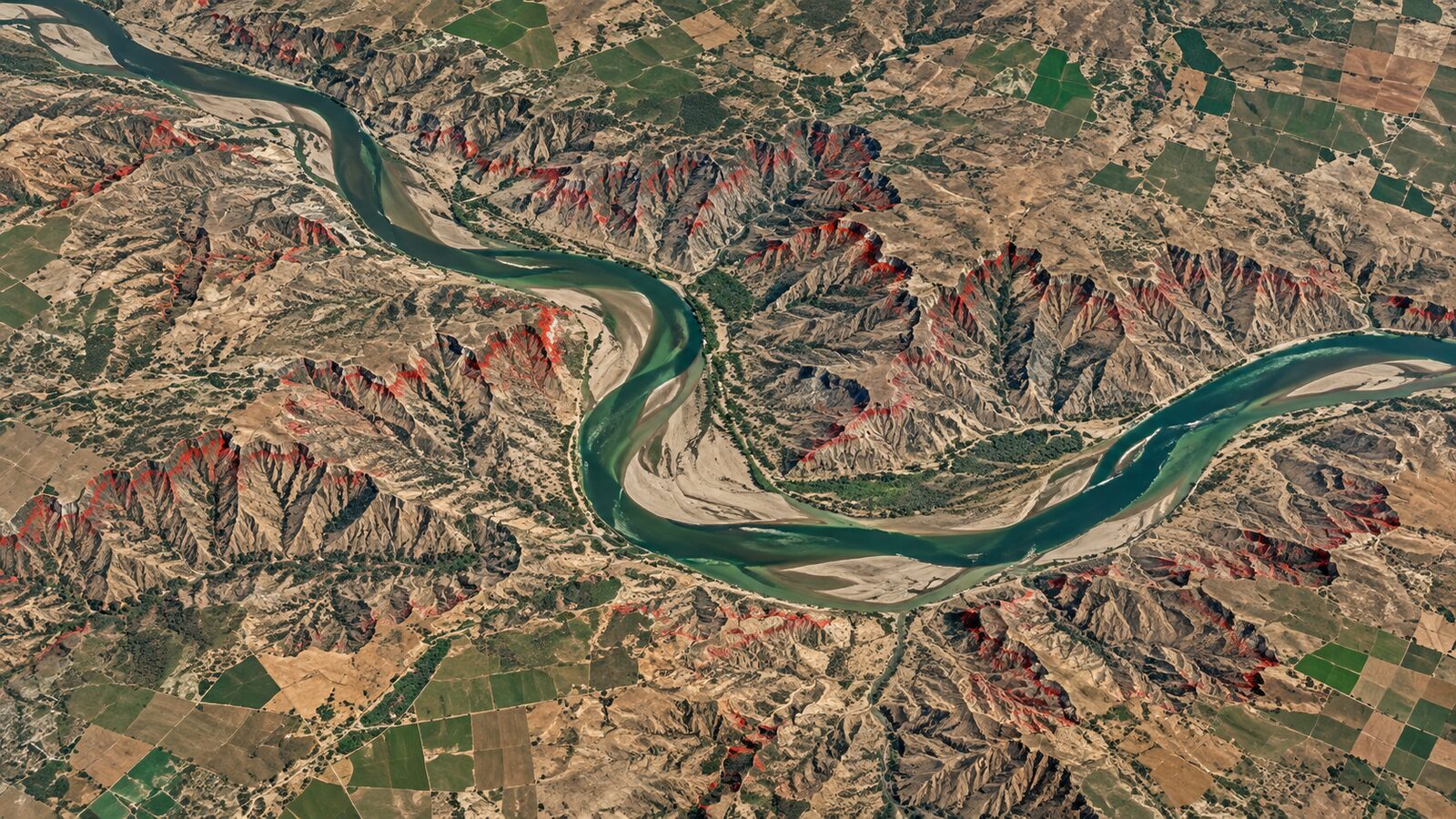
The Chambal ravine belt is one of the clearest Indian examples where geomorphology, land degradation and remote sensing meet in a visually interpretable landscape. Around the river and its tributaries, gully erosion creates dissected, exposed slopes that can expand into nearby agricultural land. A Government of India release, citing a 2003 National Remote Sensing Agency estimate, reported that about 16,469 ha of additional land was being engulfed by existing ravines every year, and that villages within about 2 km of the Chambal river or its tributaries were affected by gully erosion.
For a GIS student or early-career analyst, this is a useful training problem because the target is not hidden under dense canopy. Freshly exposed soil, sparsely vegetated slopes, crop fields, river sand and built-up patches all have different spectral behaviour. The Bare Soil Index, or BSI, gives you a first-pass way to highlight exposed soil using blue, red, near-infrared and short-wave infrared reflectance. It is not a final erosion model, but it is a strong screening layer for deciding where to digitise gullies, check change, or plan field validation.
The Sentinel-2 bands behind BSI
Sentinel-2 is well suited to this task because its Multi-Spectral Instrument records 13 spectral bands across visible, near-infrared and short-wave infrared regions. ESA documentation lists four bands at 10 m spatial resolution, six bands at 20 m and three bands at 60 m, with a 290 km swath and a nominal five-day revisit when the two-satellite constellation is operating.
For BSI in Google Earth Engine, the important bands in the Sentinel-2 Level-2A surface reflectance collection are:
- Blue: B2, 10 m
- Red: B4, 10 m
- NIR: B8, 10 m
- SWIR1: B11, 20 m
The usual Sentinel-2 BSI expression is:
BSI = ((SWIR1 + Red) - (NIR + Blue)) / ((SWIR1 + Red) + (NIR + Blue))
This works because exposed mineral soil often has stronger red and SWIR response than healthy vegetation, while vegetation tends to be bright in NIR. A peer-reviewed ISPRS paper describes BSI as combining blue, red, near-infrared and short-wave infrared bands to capture soil variations, and notes its use with Sentinel-2 for bare soil and land movement mapping. For ravines, treat BSI as a map of exposed surface condition, not as direct proof of erosion rate.
Why use Level-2A surface reflectance?
In Earth Engine, use COPERNICUS/S2_SR_HARMONIZED for this workflow. Google’s data catalogue describes it as the Harmonized Sentinel-2 MSI Level-2A surface reflectance collection, available in Earth Engine from 28 March 2017 onward, with 12 UINT16 spectral bands representing surface reflectance scaled by 10000. The same catalogue notes that Level-2A does not include B10, which is fine here because B10 is not used in BSI.
The harmonised collection matters because Sentinel-2 scenes after 25 January 2022 with processing baseline 04.00 or above had a digital number range shift, and Earth Engine shifts newer scenes to match older scenes. That makes a multi-year comparison less awkward for beginners.
Cloud handling deserves care. The catalogue explains that the QA60 cloud mask changed: rasterised cloud mask polygons stopped being produced after 25 January 2022, and legacy-consistent QA60 bands were constructed again from 28 February 2024. For a robust workflow, use the Scene Classification Layer and cloud probability rather than relying only on QA60.
Worked example: BSI composite near Morena
This example screens bare soil around a Chambal ravine landscape near Morena, Madhya Pradesh. The aim is to build a dry-season BSI composite, mask obvious clouds and water, then export a raster that can be opened in QGIS for interpretation.
Open the Earth Engine Code Editor and start with a small study area. You can replace this rectangle with a district boundary, a digitised ravine polygon, or an imported asset.
var aoi = ee.Geometry.Rectangle([77.80, 26.45, 78.20, 26.75]);
Map.centerObject(aoi, 11);

var start = '2024-02-01';
var end = '2024-04-30';

var s2 = ee.ImageCollection('COPERNICUS/S2_SR_HARMONIZED')
  .filterBounds(aoi)
  .filterDate(start, end)
  .filter(ee.Filter.lt('CLOUDY_PIXEL_PERCENTAGE', 30));
Next, mask clouds, cloud shadows, water and snow using the SCL band. In the Earth Engine catalogue, SCL class 3 is cloud shadow, 6 is water, 8 and 9 are medium and high probability cloud, 10 is cirrus and 11 is snow or ice. Class 5 is bare soils, but do not use class 5 as your final answer. Keep it as one input quality layer and let BSI provide the continuous index.
function maskS2(img) {
  var scl = img.select('SCL');
  var keep = scl.neq(3)
    .and(scl.neq(6))
    .and(scl.neq(8))
    .and(scl.neq(9))
    .and(scl.neq(10))
    .and(scl.neq(11));
  return img.updateMask(keep).divide(10000)
    .copyProperties(img, ['system:time_start']);
}

var clean = s2.map(maskS2);
var composite = clean.median().clip(aoi);
Now calculate BSI. Since B11 is a 20 m band and B2, B4 and B8 are 10 m bands, Earth Engine will handle resampling during display and export, but you should be explicit about the export scale later. A 20 m export is a sensible choice because the index depends on SWIR1.
var bsi = composite.expression(
  '((SWIR + RED) - (NIR + BLUE)) / ((SWIR + RED) + (NIR + BLUE))', {
    SWIR: composite.select('B11'),
    RED: composite.select('B4'),
    NIR: composite.select('B8'),
    BLUE: composite.select('B2')
  }).rename('BSI');

Map.addLayer(composite, {bands: ['B4', 'B3', 'B2'], min: 0.02, max: 0.30}, 'True colour');
Map.addLayer(bsi, {min: -0.2, max: 0.4, palette: ['1a9850', 'ffffbf', 'd73027']}, 'BSI');
For interpretation, do not blindly classify all positive BSI values as ravine land. Use a few training polygons: visible crop fields, river sand, built-up village cores, stable scrub and exposed ravine slopes. Inspect their BSI values with ui.Chart.image.regions, then choose a local threshold. In many semi-arid scenes, fresh bare slopes and sand will appear higher than vegetated fields, but the exact split changes with season, soil colour, moisture and crop stage.
A simple screening mask may look like this:
var candidates = bsi.gt(0.12).selfMask();
Map.addLayer(candidates, {palette: ['ff6b35']}, 'High BSI candidates');

Export.image.toDrive({
  image: bsi,
  description: 'morena_chambal_bsi_2024_dry_season',
  region: aoi,
  scale: 20,
  maxPixels: 1e13
});
The output is a screening raster. Bring it into QGIS, overlay high-resolution basemaps if your licence and project rules allow, and digitise only after visual checking. For a stronger analysis, compare two dry-season composites from different years and focus on persistent or newly expanded high-BSI zones near gully heads and ravine edges.
Common beginner mistake
The biggest mistake is treating BSI as a land degradation map by itself. BSI can confuse bare agricultural fields, sand bars, construction sites and ravine slopes because all of them may expose bright soil or mineral surfaces. Avoid this by masking water, checking seasonality, using local reference polygons and comparing the BSI layer with true colour, false colour and slope or drainage layers.
Another easy mistake is exporting at 10 m just because some Sentinel-2 bands are 10 m. Since BSI uses B11 at 20 m, a 20 m export is usually more honest for analysis. A 10 m export may look sharper, but it can imply detail that the SWIR input did not actually measure.
How to use the result professionally
For a portfolio project, present BSI as one part of a defensible workflow. Show the study area, dates, cloud masking logic, index formula, threshold selection and validation points. Recruiters are less impressed by a colourful index map than by evidence that you understand uncertainty.
A good final map might include four layers: a true-colour Sentinel-2 composite, the continuous BSI raster, a candidate high-BSI mask, and manually checked ravine-edge polygons. Add a short note explaining that the map identifies exposed soil and possible erosion-prone surfaces, not measured annual erosion. That distinction is exactly the kind of judgement expected from a geospatial analyst.
Frequently asked questions
Is BSI enough to map Chambal ravines accurately?
BSI is not enough by itself. It is best used as a screening layer for exposed soil, then checked against true colour imagery, slope, drainage, field observations or higher-resolution data. Ravines, sand bars, fallow fields and construction areas can all produce similar index responses.
Which Sentinel-2 collection should I use in Earth Engine?
Use COPERNICUS/S2_SR_HARMONIZED for most land applications because it provides Level-2A surface reflectance and harmonises newer scenes with older digital number ranges. Remember to divide reflectance bands by 10000 before calculating indices if your masking function has not already done it.
Should I export BSI at 10 m or 20 m?
Export BSI at 20 m for analytical work because the formula uses B11, the SWIR1 band, which is a 20 m Sentinel-2 band. Exporting at 10 m can be useful for display, but it does not create real 10 m SWIR information.
What season works best for this workflow?
A dry-season window usually works best for ravine screening because clouds are fewer and exposed soil is easier to separate from monsoon vegetation. In the Chambal belt, compare similar months across years so crop calendars and soil moisture do not dominate the change signal.
References
- ESA Sentinel-2 User Handbook
- Copernicus SentiWiki Sentinel-2 mission overview
- Google Earth Engine Data Catalog: Harmonized Sentinel-2 MSI Level-2A
- Google Earth Engine Data Catalog: Sentinel-2 Cloud Probability
- ISPRS Archives paper using Sentinel-2 Bare Soil Index
- PIB release on soil erosion in ravines
- NRSC soils application page on land degradation mapping
- SAC VEDAS Desertification Status Mapping Atlas page
Cover image: AI-generated illustration (ChatGPT image generation), not satellite data.
Researched and drafted with AI assistance; sources are linked for verification.