Sentinel-2 NDSI Snow Mapping in GEE for Gangotri
A practical Google Earth Engine workflow for mapping seasonal snow around Gangotri using Sentinel-2 NDSI, cloud masking, elevation checks, and careful threshold validation.
Why map Himalayan snow with Sentinel-2 NDSI?
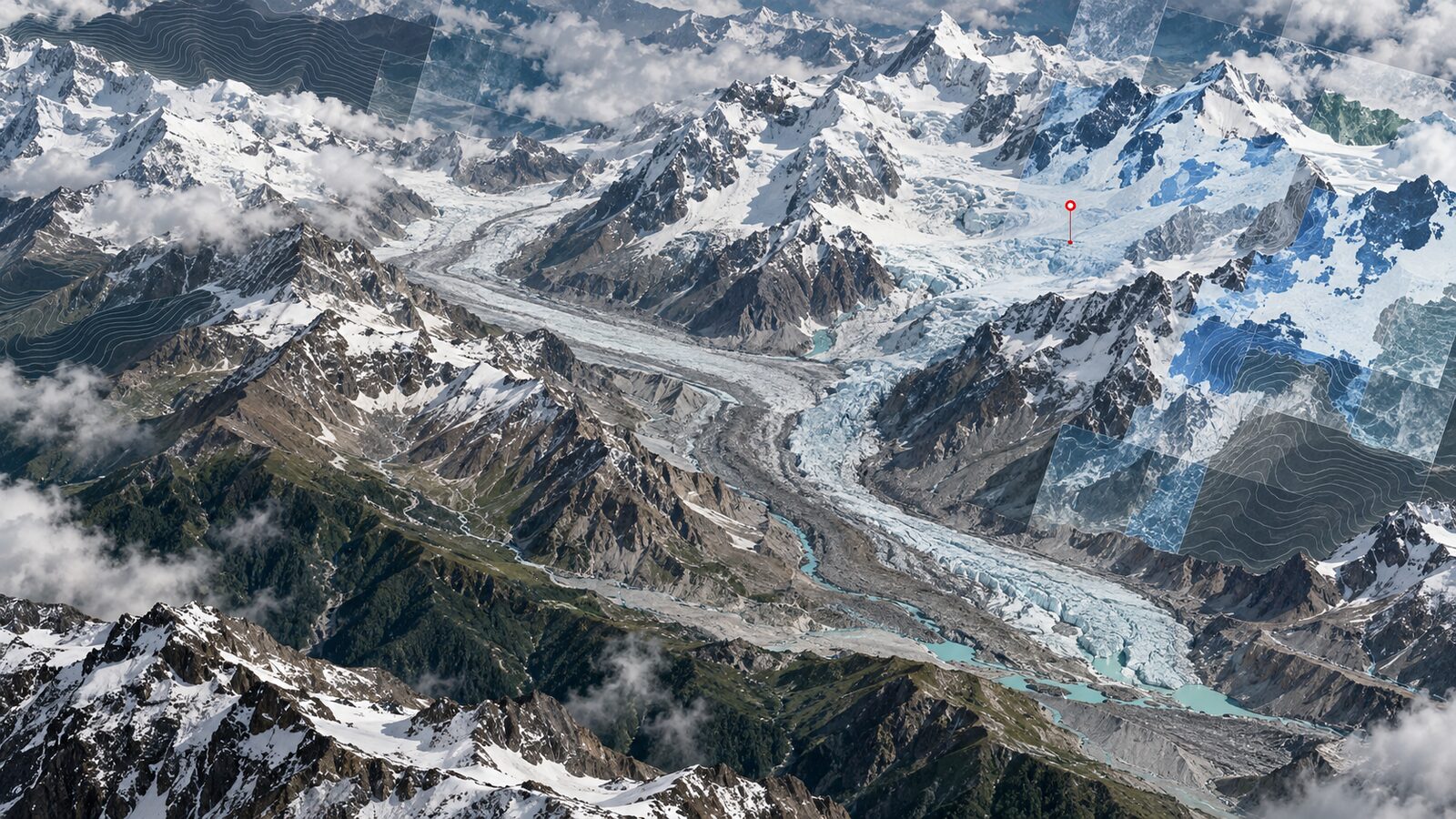
Snow mapping is one of the most useful beginner-to-intermediate remote sensing exercises for Indian geography and GIS students because it forces you to think about spectral behaviour, terrain, clouds, shadows and scale at the same time. In the Garhwal Himalaya, especially around Gangotri National Park in Uttarakhand, seasonal snow, glacier ice, cloud and bright rock can look deceptively similar in a true colour image. A simple index helps, but only if you understand what it is doing.
The Normalised Difference Snow Index, or NDSI, uses the contrast between visible reflectance and shortwave infrared reflectance. Snow is usually bright in visible wavelengths and dark in shortwave infrared, while many clouds remain bright in both. For Sentinel-2, the common expression is:
NDSI = (B3 - B11) / (B3 + B11)
Here B3 is the green band and B11 is the first shortwave infrared band. In Google Earth Engine, the harmonised Sentinel-2 Level-2A surface reflectance collection is available as COPERNICUS/S2_SR_HARMONIZED. The catalogue lists B3 as a 10 metre green band and B11 as a 20 metre SWIR 1 band, with surface reflectance values stored as scaled integers that need division by 10000 for normal reflectance-style calculations. ESA describes Sentinel-2 MSI as a 13-band instrument with 10 metre, 20 metre and 60 metre bands and a 290 kilometre swath, so it is well suited to a mountain valley or district-scale screening workflow.
For a worked Indian example, we will map likely snow cover in and around Gangotri National Park. The Wildlife Institute of India describes the park as lying in the upper Bhagirathi catchment of Uttarkashi district, with the Gangotri glacier inside the protected area. It also gives the park elevation range as 1,800 to 7,083 metres above mean sea level, which explains why a single scene can contain forest, exposed rock, seasonal snow, glacier surfaces and high shadowed slopes.
The practical goal
The goal is not to produce a legally defensible glacier inventory. It is to create a clean, explainable screening layer: where did Sentinel-2 indicate likely snow or ice during a chosen clear-weather window?
That is a useful map for coursework, field planning, hydrology context, and portfolio demonstration. Recruiters reviewing a GIS portfolio will usually value this kind of workflow because it shows that you can combine spectral indices, masks, regional knowledge and uncertainty checks instead of simply clicking an index button.
We will build a median composite for a short post-monsoon or pre-monsoon window, calculate NDSI, apply a snow threshold, remove obvious low-elevation false positives, and estimate area. The same structure can be adapted to other Himalayan locations such as Kedarnath, Satopanth, Zanskar, Lahaul or Sikkim.
Step-by-step GEE workflow
Open the Google Earth Engine Code Editor and start with an area of interest. For a portfolio post, draw a polygon around Gangotri National Park or the upper Bhagirathi valley rather than using a huge state boundary. A compact area makes the result easier to inspect and export.
var aoi = /* draw or import a polygon around Gangotri */;
Map.centerObject(aoi, 10);

var s2 = ee.ImageCollection('COPERNICUS/S2_SR_HARMONIZED')
  .filterBounds(aoi)
  .filterDate('2023-10-01', '2023-11-15')
  .filter(ee.Filter.lt('CLOUDY_PIXEL_PERCENTAGE', 30));
The date range above is just an example. In the Himalaya, you should inspect multiple windows because fresh snowfall, cloud persistence and terrain shadows can change the result dramatically. The Earth Engine catalogue notes a 5 day revisit interval for this Sentinel-2 collection, but mountain cloud can still leave you with few usable observations.
Next, mask unwanted scene classes. Sentinel-2 Level-2A includes an SCL scene classification band. It is not perfect in high mountains, but it is more transparent than using only a scene-level cloud percentage.
function maskS2(image) {
  var scl = image.select('SCL');
  var clear = scl.neq(3)   // cloud shadow
    .and(scl.neq(8))       // medium probability cloud
    .and(scl.neq(9))       // high probability cloud
    .and(scl.neq(10))      // thin cirrus
    .and(scl.neq(11));     // snow is excluded here only if you want cloud-free land

  return image.updateMask(clear)
    .select(['B3', 'B11', 'B4', 'B8', 'SCL'])
    .divide(10000)
    .copyProperties(image, ['system:time_start']);
}
For snow mapping, be careful with SCL class 11. If you mask it out, you may remove the very snow you want to map. One option is to mask cloud and shadow classes but keep class 11. Another option is to calculate NDSI first and then use SCL as a comparison layer. In the function above, remove the scl.neq(11) line if your purpose is snow detection. I usually keep snow pixels and only mask cloud, cirrus and shadow.
Create the composite and calculate NDSI:
var composite = s2.map(maskS2).median().clip(aoi);

var ndsi = composite.normalizedDifference(['B3', 'B11']).rename('NDSI');

var snow = ndsi.gt(0.4).rename('likely_snow');
A threshold near 0.4 is a common starting point in many snow mapping workflows, but it should not be treated as a universal Himalayan law. NSIDC explains that NDSI snow cover is related to snow presence across positive NDSI values, while Copernicus documentation describes Sentinel-2 NDSI as a way to separate snow from cloud using visible and SWIR behaviour. For a local study, compare the thresholded result against true colour, SWIR and terrain context before accepting it.
Now add a basic elevation sanity check. A DEM is not part of Sentinel-2, but it is useful because low-elevation bright river sediment, rooftops or exposed pale rock can sometimes be misclassified. For Gangotri, snow at very low elevation in October would be suspicious, while high-elevation snow is physically plausible. Do not use elevation to prove snow. Use it to flag errors.
var dem = ee.Image('USGS/SRTMGL1_003').clip(aoi);
var highGround = dem.gt(3000);
var snowHigh = snow.updateMask(highGround);

Map.addLayer(composite, {bands: ['B4', 'B3', 'B2'], min: 0, max: 0.3}, 'True colour');
Map.addLayer(ndsi, {min: -0.5, max: 1, palette: ['6b4f2a', 'ffffff', '00a6ff']}, 'NDSI');
Map.addLayer(snowHigh.selfMask(), {palette: ['00b7ff']}, 'Likely snow above 3000 m');
The 3000 metre value is only a teaching threshold for this example. In a real study, choose it after checking season, local climatology and terrain. Gangotri National Park spans a very large elevation range, so elevation filtering can clean the map, but it can also hide real unusual snowfall if used blindly.
Estimating snow-covered area
Once the mask looks reasonable, estimate area. Because B11 is a 20 metre band, the final NDSI result should be interpreted at roughly that working scale even though B3 is 10 metre. That is one reason to avoid overclaiming sharp glacier margins from this product.
var areaImage = snowHigh.multiply(ee.Image.pixelArea());

var area = areaImage.reduceRegion({
  reducer: ee.Reducer.sum(),
  geometry: aoi,
  scale: 20,
  maxPixels: 1e10
});

print('Likely snow area in square kilometres',
  ee.Number(area.get('likely_snow')).divide(1e6));
Use scale: 20 because the SWIR band drives the NDSI resolution. Export both the NDSI raster and the binary snow mask if you want to continue in QGIS. In QGIS, style the NDSI raster with a diverging colour ramp and overlay contours or hillshade to check whether isolated snow pixels are sitting in impossible places.
How to validate the map visually
Start with three layers: true colour, SWIR false colour and NDSI. In true colour, snow, cloud and glacier ice may all appear bright. In SWIR composites, snow and ice often separate more clearly from cloud and rock because SWIR response is different. In the NDSI layer, real snowfields should form terrain-consistent patches: ridge bowls, glacier accumulation areas and high slopes, not random square blocks scattered through a valley settlement.
Also inspect the scene dates. A median composite can mix observations from different days. That is often fine for a broad screening map, but it can blur short-lived snowfall. If the aim is event mapping after a storm, use a single clear date or a very short date range. If the aim is seasonal persistence, build monthly or fortnightly composites and compare them.
Common beginner mistake
The most common mistake is treating NDSI as a finished classification. It is an index, not a snow expert sitting inside Earth Engine. Beginners often apply NDSI > 0.4, export the blue pixels and call the result snow cover without checking clouds, shadows, water, exposed rock, DEM context or band resolution.
Avoid this by making a small validation grid. Pick 20 to 30 points across snow, cloud, glacier ice, dark shadow, forest, river and bare rock. Inspect each point in true colour, SWIR and NDSI. If your threshold fails repeatedly in one class, adjust your logic or report the limitation clearly. A modest, honest snow screening map is better than a confident but untested classification.
Frequently asked questions
Can I use Sentinel-2 NDSI to map glacier boundaries?
Yes, but only as a first screening layer. NDSI highlights snow and ice-like surfaces, while glacier boundary mapping also needs debris-covered ice interpretation, terrain knowledge, seasonal timing and manual or supervised validation. Clean glacier ice is easier than debris-covered glacier tongues.
Should I use Level-1C or Level-2A Sentinel-2 data?
Use Level-2A surface reflectance for most student and portfolio workflows. In Earth Engine, COPERNICUS/S2_SR_HARMONIZED provides harmonised Level-2A surface reflectance, includes useful classification bands, and avoids mixing uncorrected top-of-atmosphere reflectance with surface reflectance logic.
Why does my snow map include clouds?
Clouds can still pass through simple masks because bright cloud and snow have similar visible reflectance. Use the SCL layer, inspect SWIR behaviour, compare multiple dates and avoid relying only on scene-level cloud percentage. Mountain shadows and thin cirrus need extra visual checking.
What scale should I use for exporting the NDSI result?
Use 20 metres for this Sentinel-2 NDSI workflow because B11, the SWIR band in the calculation, is 20 metres. Exporting at 10 metres may look sharper, but it does not create true 10 metre SWIR information.
References
- ESA Sentinel-2 facts and figures
- Google Earth Engine Data Catalog: Harmonized Sentinel-2 MSI Level-2A
- Copernicus SentiWiki: Sentinel-2 applications and band combinations
- NSIDC: What is NDSI snow cover and how does it compare to FSC?
- Wildlife Institute of India: Gangotri National Park
Cover image: AI-generated illustration (ChatGPT image generation), not satellite data.
Researched and drafted with AI assistance; sources are linked for verification.