Sentinel-2 Shoreline Mapping in GEE for Pamban Coast
A practical Google Earth Engine workflow for extracting a Sentinel-2 waterline around Pamban and Rameswaram, with cloud masking, NDWI thresholding, vector export, and field-aware cautions.
Sentinel-2 shoreline mapping in Google Earth Engine
India’s coast is not a simple line. It is a shifting edge of beaches, mudflats, ports, tidal creeks, mangroves, dunes, lagoons and seawalls. That makes shoreline mapping a good portfolio project for a GIS student, because it tests whether you can combine remote sensing, geomorphology and clean spatial workflows instead of only pressing buttons.
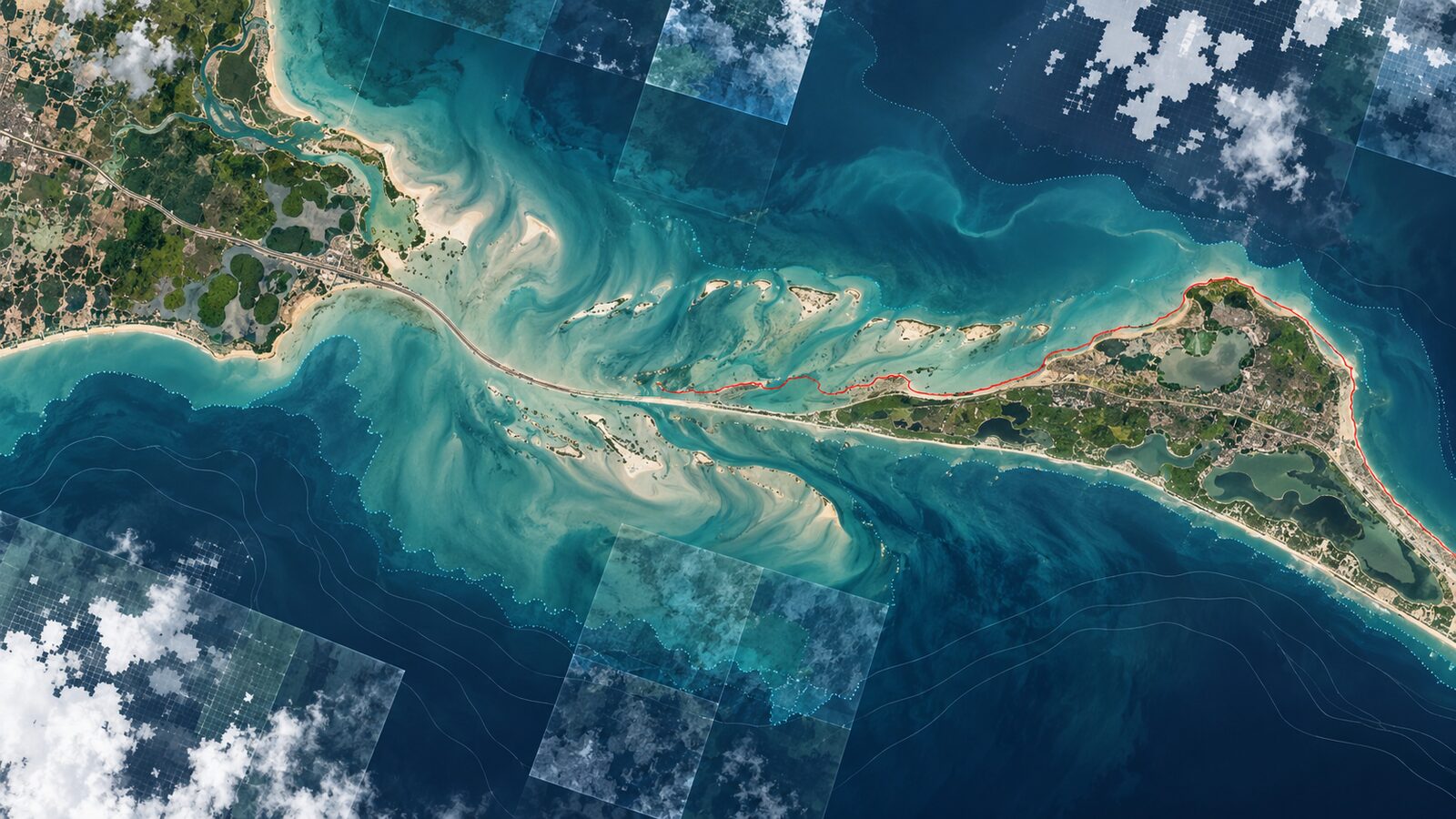
For this walkthrough, we will use the Pamban and Rameswaram coast in Tamil Nadu. The area is visually rich in satellite imagery: shallow water, beaches, sand bars, reef flats, fishing settlements and the Pamban channel sit close together. It is also technically useful because the waterline can be confused by turbidity, wet sand and changing tide.
The method below uses Sentinel-2 Level-2A surface reflectance in Google Earth Engine. ESA describes Sentinel-2 as a multispectral mission with 13 bands, a 290 km swath, and 10 m, 20 m and 60 m spatial resolutions depending on the band. The two main satellites in the constellation provide a five-day revisit at the equator. In Earth Engine, the harmonised Level-2A collection stores 12 surface reflectance bands scaled by 10000, with no B10 band in the Level-2A asset.
The basic idea is simple: use the green and near-infrared bands to separate water from land. The McFeeters open-water NDWI uses green and NIR reflectance in a normalised ratio. For Sentinel-2 in Earth Engine, green is B3 at 10 m and NIR is B8 at 10 m. Water usually has higher green reflectance than NIR, while vegetation and many dry land surfaces do the opposite. The formula is:
NDWI = (Green - NIR) / (Green + NIR)
That index gives you a first water mask. The shoreline is then the boundary between the water mask and the land mask. The craft is in choosing scenes, masking clouds, using a threshold that suits the local coast, and documenting limitations clearly.
Why Pamban is a good student example
Pamban is not a perfect laboratory, and that is exactly why it is useful. A reservoir edge may look crisp in an index image. A sandy tropical coast is messier. Bright dry sand, wet intertidal flats and shallow water can all confuse a simple index. Waves add white water. Cloud shadows can look like water. Boats and aquaculture structures add tiny artefacts.
This is where recruiters notice judgement. A strong geospatial analyst does not claim that a single NDWI threshold is a legal coastline. They explain that it is a satellite-derived waterline for selected image dates. Official Indian coastline and High Tide Line mapping uses more controlled methods. A Press Information Bureau release from the Ministry of Earth Sciences says India’s coastline length was re-assessed from 7516.6 km to 11098.81 km using modern GIS software and high-resolution High-Water Line data from latest surveys. It also states that CRZ boundaries are based on the actual High Tide Line demarcated by NCSCM, not on the revised coastline-length figure itself.
That distinction matters. Your Earth Engine output can be excellent for learning, screening and change exploration. It is not a substitute for statutory HTL demarcation, cadastral boundaries or ground-verified coastal regulation work.
Worked example: extracting a Pamban waterline
Open the Earth Engine Code Editor and draw a polygon around Pamban Island, Rameswaram town, the Pamban channel and nearby mainland coast. Name it geometry. Keep the area modest, because vectorising a very large raster mask can become slow.
Use a dry-season window first. For Tamil Nadu, January to March often gives more usable optical scenes than peak monsoon months, although local clouds can still be present. This example compares two seasonal composites, not two legal coastlines.
var roi = geometry;

var s2 = ee.ImageCollection('COPERNICUS/S2_SR_HARMONIZED')
  .filterBounds(roi)
  .filterDate('2024-01-01', '2024-03-31')
  .filter(ee.Filter.lt('CLOUDY_PIXEL_PERCENTAGE', 20));

function maskS2(image) {
  var scl = image.select('SCL');
  var clear = scl.neq(3)   // cloud shadow
    .and(scl.neq(8))       // medium probability cloud
    .and(scl.neq(9))       // high probability cloud
    .and(scl.neq(10))      // cirrus
    .and(scl.neq(11));     // snow or ice, usually irrelevant here but harmless
  return image.updateMask(clear).divide(10000)
    .copyProperties(image, image.propertyNames());
}

var composite = s2.map(maskS2).median().clip(roi);

var ndwi = composite.normalizedDifference(['B3', 'B8']).rename('NDWI');
var water = ndwi.gt(0.15).selfMask();

Map.centerObject(roi, 11);
Map.addLayer(composite, {bands: ['B4', 'B3', 'B2'], min: 0.02, max: 0.30}, 'Sentinel-2 RGB');
Map.addLayer(ndwi, {min: -0.5, max: 0.6, palette: ['brown', 'white', 'blue']}, 'NDWI');
Map.addLayer(water, {palette: ['0066ff']}, 'Water mask');
The threshold 0.15 is deliberately presented as a starting point, not a universal rule. Use the Inspector on known water, wet sand, built-up land and vegetation pixels. If wet beach is being classified as water, raise the threshold. If turbid shallow water is being missed, lower it carefully. Always compare the mask with the true-colour composite.
To turn the water mask into polygons, use reduceToVectors. This creates water polygons, so the visible shoreline is the polygon edge. Keep scale at 10 to match the 10 m B3 and B8 bands used in the index.
var waterVectors = water.reduceToVectors({
  geometry: roi,
  scale: 10,
  geometryType: 'polygon',
  eightConnected: true,
  maxPixels: 1e8
});

Map.addLayer(waterVectors, {color: '00ffff'}, 'Water polygons');

Export.table.toDrive({
  collection: waterVectors,
  description: 'pamban_s2_ndwi_water_polygons_2024_jan_mar',
  fileFormat: 'SHP'
});
Once exported, open the shapefile in QGIS. Dissolve the water polygons if needed, remove small isolated patches, then style the polygon boundary as a thin cyan line over a Sentinel-2 or high-resolution basemap. If you want a line dataset rather than a polygon boundary, use QGIS processing tools such as Polygon to lines after cleaning the polygon layer.
Comparing two dates without fooling yourself
A tempting next step is to run the same code for an older year and subtract one shoreline from another. Do it, but be careful. Shoreline change is sensitive to image date, tide, waves, cloud shadow and the threshold you used.
For a cleaner student project, compare two dry-season windows using the same months. For example, use January to March in one year and January to March in another year, then keep the same ROI, same index and same threshold. Export both masks and inspect them in QGIS. Where the boundary moved, check the RGB image before calling it erosion or accretion.
Peer-reviewed shoreline work using Sentinel-2 and PlanetScope shows why context matters. One ISPRS Archives study compared NDWI, MNDWI, AWEI and other approaches, and found that the best index-classifier combination can change with the coastal setting. The study also reported sub-pixel results for Sentinel-2 in tide-less Mediterranean test beaches, but that result should not be copied directly to Pamban because Indian coasts have different tidal, sediment and atmospheric conditions.
Common beginner mistake: trusting one threshold
The most common mistake is to treat NDWI > 0 as a coastline everywhere. That is too mechanical. In Pamban, shallow water, suspended sediment and wet sand can compress the contrast between land and water. Urban shadows and cloud shadows can also become false water.
Avoid this by doing three checks. First, inspect sample pixels in the NDWI layer and record the range for clear water, wet sand and land. Second, compare the water mask against RGB imagery at several zoom levels. Third, report your chosen threshold in the map caption or methodology note. A transparent threshold is more professional than a mysterious map.
Another mistake is using QA60 cloud masking code without knowing its history in the Earth Engine collection. The Earth Engine documentation notes that QA60 cloud polygons stopped being produced after 2022-01-25 and that legacy-consistent QA60 bands are constructed from MSK_CLASSI cloud classification bands starting 2024-02-28. For recent Sentinel-2 surface reflectance work, the SCL band and cloud probability products are often easier to reason about than blindly copying old QA60 snippets.
How to present this in a portfolio
A good portfolio entry should show the workflow, not only the final map. Include a small methods box with the collection name, date window, bands, index formula, threshold and export format. Add two map panels: RGB composite and extracted water mask. Then include a short limitations paragraph.
For recruiters, the strongest sentence is not “I mapped the coastline”. It is more like: “I extracted a Sentinel-2 NDWI waterline for Pamban using harmonised Level-2A surface reflectance, SCL-based cloud masking and threshold validation against RGB imagery, then exported cleaned polygons for QGIS cartography.” That sentence signals data literacy, processing discipline and cartographic follow-through.
For students, this exercise also builds transferable skills. The same pattern applies to lagoon mapping, reservoir screening, river sandbar monitoring and post-cyclone reconnaissance. The index changes, the terrain changes, but the professional habit stays the same: verify the sensor, check the mask, document the threshold and avoid overstating what the satellite can prove.
Frequently asked questions
Is NDWI enough for accurate shoreline mapping?
NDWI is enough for a first-pass satellite waterline, but not enough for a legally defensible shoreline. Use it for screening, learning and change exploration, then validate with tide information, higher-resolution imagery, field observations or official coastal datasets when decisions carry regulatory or engineering weight.
Why use Sentinel-2 instead of Landsat for this example?
Sentinel-2 is useful here because its green and NIR bands used for NDWI are available at 10 m resolution. Landsat is still valuable for longer historical studies, but Sentinel-2 is often more detailed for recent shoreline mapping around narrow beaches, channels and sand bars.
Should I use NDWI or MNDWI on sandy coasts?
Test both if the coast is complex. NDWI uses green and NIR, while MNDWI usually replaces NIR with SWIR to reduce built-up land confusion. For Sentinel-2, remember that B11 SWIR is 20 m, so your output scale and edge detail will differ.
Can this workflow show coastal erosion at Pamban?
It can suggest possible erosion or accretion zones, but only after careful date matching and visual checks. Use comparable seasons, avoid cloudy scenes, note tide uncertainty and inspect the RGB image before interpreting any shifted waterline as geomorphic change.
References
- https://www.esa.int/Applications/Observing_the_Earth/Copernicus/Sentinel-2/Facts_and_figures
- https://developers.google.com/earth-engine/datasets/catalog/COPERNICUS_S2_SR_HARMONIZED
- https://step.esa.int/main/wp-content/help/versions/9.0.0/snap-toolboxes/org.esa.s2tbx.s2tbx.radiometric.indices.ui/ndwi2/Ndwi2AlgorithmSpecification.html
- https://isprs-archives.copernicus.org/articles/XLVIII-1-2024/1/2024/
- https://www.pib.gov.in/PressReleasePage.aspx?PRID=2198800&lang=1®=3
Cover image: AI-generated illustration (ChatGPT image generation), not satellite data.
Researched and drafted with AI assistance; sources are linked for verification.