Sentinel-2 Red-Edge in QGIS: Why 10 m Outputs Mislead
A practical QGIS workflow for using Sentinel-2 red-edge bands without mistaking resampled 20 m information for genuine 10 m crop detail.
The attractive but wrong 10 m red-edge map
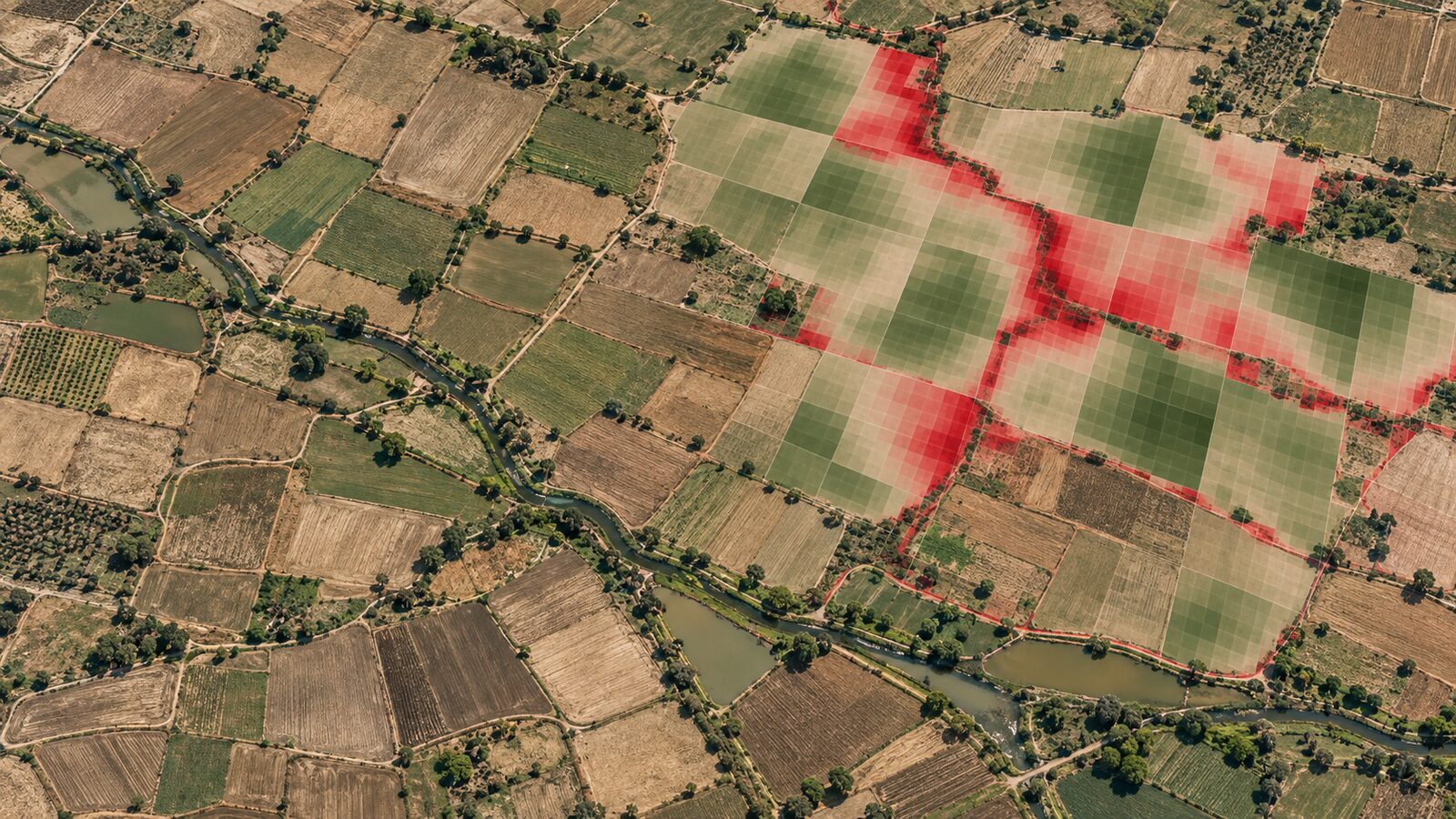
A Sentinel-2 red-edge index can be a useful way to screen crop variability, but its polished appearance in QGIS often invites an overconfident conclusion: that every 10 m pixel on the output represents a 10 m observation. It does not.
This matters in Indian agricultural landscapes, where a field edge, a irrigation channel, a tree line and two crop management practices can sit close together. If you resample a red-edge band to 10 m, QGIS can create a 10 m grid and a smooth-looking raster. It cannot create the missing spatial measurements. The output has a 10 m cell size, while the red-edge information still originates at 20 m.
That distinction is more than terminology. It affects how confidently you flag stressed patches, compare field parcels, train classifications and explain a map to a client. My view is simple: resampling is a necessary alignment step, not an increase in sensor detail. Label a resampled red-edge result honestly, analyse it at the native limiting resolution, and use 10 m imagery for context rather than proof.
This post shows a defensible QGIS workflow using a red-edge chlorophyll proxy over cropland around Ludhiana, Punjab. The same discipline applies to B11 and B12, Sentinel-2's other 20 m analytical bands.
What Sentinel-2 actually measures
Sentinel-2's Multispectral Instrument has 13 bands, not one universal ground resolution. B2, B3, B4 and B8 are 10 m bands. B5, B6, B7, B8A, B11 and B12 are 20 m bands. B1, B9 and B10 are 60 m bands. ESA lists B5 at 705 nm, B6 at 740 nm, B7 at 783 nm and B8A at 865 nm; B8 is a broader 842 nm band at 10 m. ESA's Sentinel-2 User Handbook documents those band locations and native resolutions.
The red-edge bands are valuable because vegetation reflectance changes rapidly between red light and near-infrared light. They offer information that a conventional B4 and B8 NDVI does not express in exactly the same way. But the spectral advantage comes with a spatial constraint: a native red-edge sample covers a 20 m by 20 m ground cell. In a regular grid, that is the footprint of four 10 m cells.
Level-2A is normally the sensible starting point for this workflow because it is surface-reflectance imagery, with atmospheric correction and accompanying products such as the Scene Classification layer. The Copernicus Data Space documentation also makes clear that L2A bands are supplied at different spatial resolutions. Copernicus Data Space Sentinel-2 documentation is worth reading before treating every band in a download as equivalent.
A five-day constellation revisit at the equator is useful for building a time series, but it does not turn a 20 m red-edge measurement into a 10 m measurement. ESA's mission facts make both points explicit: the mission has mixed band resolutions and a five-day revisit. Temporal frequency and spatial resolution answer different questions.
The decision before opening QGIS
First decide what the map must support.
If the question is, “Which parts of a large field deserve a visit?”, a red-edge index can be an excellent screening layer. A 20 m pattern that persists across several cells is meaningful enough to prioritise scouting. If the question is, “Which 10 m strip along this field boundary received less fertiliser?”, Sentinel-2 red-edge data alone cannot establish that. You would need field observations, a higher-resolution sensor, or a careful combination of evidence.
For this example, use the Normalised Difference Red Edge index:
NDRE = (B8A - B5) / (B8A + B5)
This is not a direct laboratory measurement of chlorophyll, nitrogen, crop health or yield. It is a spectral index. Treat it as a comparative indicator, then validate the explanation on the ground. Do not impose a universal “healthy” threshold copied from another crop, date, sensor processing chain or district.
Choose one cloud-free Sentinel-2 L2A acquisition during a crop stage relevant to your question. Inspect the scene visually and use the scene classification information rather than trusting only the scene-wide cloud percentage. Tile-level cloud metadata is only an estimate for the whole tile, not a guarantee that your study area is clear. The L2A access documentation explains this limitation.
Worked workflow: a Ludhiana crop screen
The aim is to create a transparent first-pass map for field scouting, not an imaginary high-resolution chlorophyll map.
-
Download a Sentinel-2 L2A product covering the Ludhiana agricultural belt and add B5 and B8A to QGIS. Both should report a 20 m pixel size. Add B4 or a true-colour composite as a visual reference layer, not as an input to NDRE.
-
Add a parcel boundary layer only if its positional quality is known. In the Layers panel, check that the vector and rasters share an appropriate projected CRS for your study area. Do not use a screen display coincidence as proof of alignment. Zoom to road junctions, canals or stable field boundaries and inspect offsets before calculating parcel statistics.
-
Mask obvious cloud, cloud-shadow and no-data areas. If your source supplies the Sentinel-2 Scene Classification layer, inspect its classes alongside the image. Also inspect bright haze and thin cloud manually. A clean-looking false-colour image can still contain compromised pixels.
-
Keep the analysis grid at 20 m where possible. In Raster Calculator, calculate:
("B8A@1" - "B5@1") / ("B8A@1" + "B5@1")Save the result as a floating-point GeoTIFF. Give it a name that records the acquisition date, product level and native analysis resolution, for example
ludhiana_ndre_l2a_20m_YYYYMMDD. -
Style the raster with a modest sequential or diverging colour ramp. Set the minimum and maximum from the distribution of the study area, but record those display choices. A red pixel only means lower relative index value within the chosen rendering range. It does not automatically mean crop failure.
-
Use Zonal Statistics to calculate median NDRE by parcel, provided the parcels are large enough to contain multiple 20 m cells. Prefer the median when a few residual cloud or edge pixels could distort the mean. Review the cell count as well as the statistic. A parcel represented by very few valid cells should be flagged as uncertain rather than ranked with confidence.
-
Create a field-visit shortlist from persistent patterns. Compare the same parcel across several suitable dates, then visit areas that repeatedly differ from neighbouring parts of the same crop and management setting. Record crop stage, irrigation condition, pest symptoms and any management history. That turns a remotely sensed pattern into an interpretable finding.
When a 10 m delivery is still useful
Sometimes a reporting system, a web map or a machine-learning stack requires all inputs on one grid. In that case, align B5 and B8A to a 10 m reference raster, but document the operation clearly. QGIS's Align Rasters tool resamples inputs to the cell size and CRS of a reference layer and provides nearest-neighbour, bilinear, cubic, average and other methods. QGIS raster tool documentation describes these choices.
For continuous reflectance or an index workflow, bilinear interpolation is often a reasonable visual and computational choice because it smooths neighbouring values. For categorical rasters such as a class mask, use nearest neighbour so class labels are not blended. The method should be stated in the project metadata because it changes output values near transitions.
After resampling B5 and B8A to 10 m, calculate NDRE on the aligned layers. Then label the product as “NDRE, 10 m grid, derived from 20 m red-edge bands”. That phrase is not bureaucratic caution. It tells a reviewer what the pixels can and cannot support.
Avoid running a separate resampling step for every date with slightly different grids. Pick one reference grid, CRS, extent and pixel origin, then align every date to it. QGIS explicitly uses the reference raster to obtain the target extent, cell size and CRS. Consistent alignment is especially important before pixel-by-pixel change detection or a multitemporal classification.
The common beginner mistake: confusing interpolation with observation
The most costly mistake is to calculate an index from 20 m red-edge bands resampled to 10 m, zoom in to individual 10 m cells, and make decisions as though each cell had independently measured red-edge reflectance. Interpolation estimates values between and around coarser samples. It may make a map easier to overlay with B8, field boundaries or a 10 m basemap, but it adds no new red-edge observation.
A related mistake is to mix B8 and B8A casually because both are described as near-infrared. They are not interchangeable. They have different spectral positions, band widths and native cell sizes. In particular, swapping B8A for B8 changes the index definition as well as the spatial support. Use the band specified by your method, and report it.
The remedy is straightforward:
- Calculate and summarise red-edge indices at 20 m whenever the decision permits it.
- If resampling is required, use one fixed reference grid and record the interpolation method.
- Judge patterns larger than a few cells, compare dates carefully and verify the cause in the field.
- Separate a screening claim, such as “this parcel merits inspection”, from a diagnostic claim, such as “this crop has nitrogen deficiency”. Only the latter demands corroborating agronomic evidence.
That approach may produce a less dramatic map, but it produces a more defensible one. Recruiters and project leads notice this distinction. It shows that you understand sensor physics, not only how to click Raster Calculator.
Frequently asked questions
Is NDRE from Sentinel-2 really 10 m?
No, standard Sentinel-2 NDRE using B5 and B8A is natively constrained by 20 m inputs. You can place its output on a 10 m grid, but that changes sampling layout rather than creating independent 10 m red-edge measurements. Describe the native source resolution in every map and report.
Should I use B8 or B8A for a red-edge index?
Use the band defined by the chosen method, and do not substitute them casually. B8 is the 10 m broad near-infrared band, whereas B8A is a 20 m narrow near-infrared band near 865 nm. The substitution changes both spectral behaviour and spatial support.
Which resampling method should I use in QGIS?
Bilinear resampling is a reasonable option for continuous reflectance when a common grid is essential, while nearest neighbour is appropriate for categorical masks. Neither method improves native detail. State the method, reference grid and source resolution so another analyst can reproduce and interpret your result.
Can NDRE diagnose fertiliser deficiency by itself?
No, NDRE alone should be used to prioritise investigation, not to diagnose a specific cause. Similar index patterns can arise from crop stage, water stress, soil background, disease, cloud contamination or management differences. Pair persistent map patterns with field observations and agronomic context.
References
- ESA, Sentinel-2 User Handbook
- ESA, Sentinel-2 facts and figures
- Copernicus Data Space, Sentinel-2 mission documentation
- Copernicus Data Space, Sentinel-2 L2A documentation
- QGIS documentation, Align rasters
Cover image: AI-generated illustration (ChatGPT image generation), not satellite data.
Researched and drafted with AI assistance; sources are linked for verification.