Why Your GEE Water Area Total Is Wrong: Wular Lake
A defensible Google Earth Engine workflow for measuring mapped open water at Wular Lake, with the scale, projection and threshold decisions made explicit.
Stop counting pixels, start measuring area
A water map can look excellent in Google Earth Engine and still report an indefensible area. The usual culprit is not the water index. It is the quiet assumption that a pixel count, a map display, or an unspecified reduction scale represents a fixed ground area.
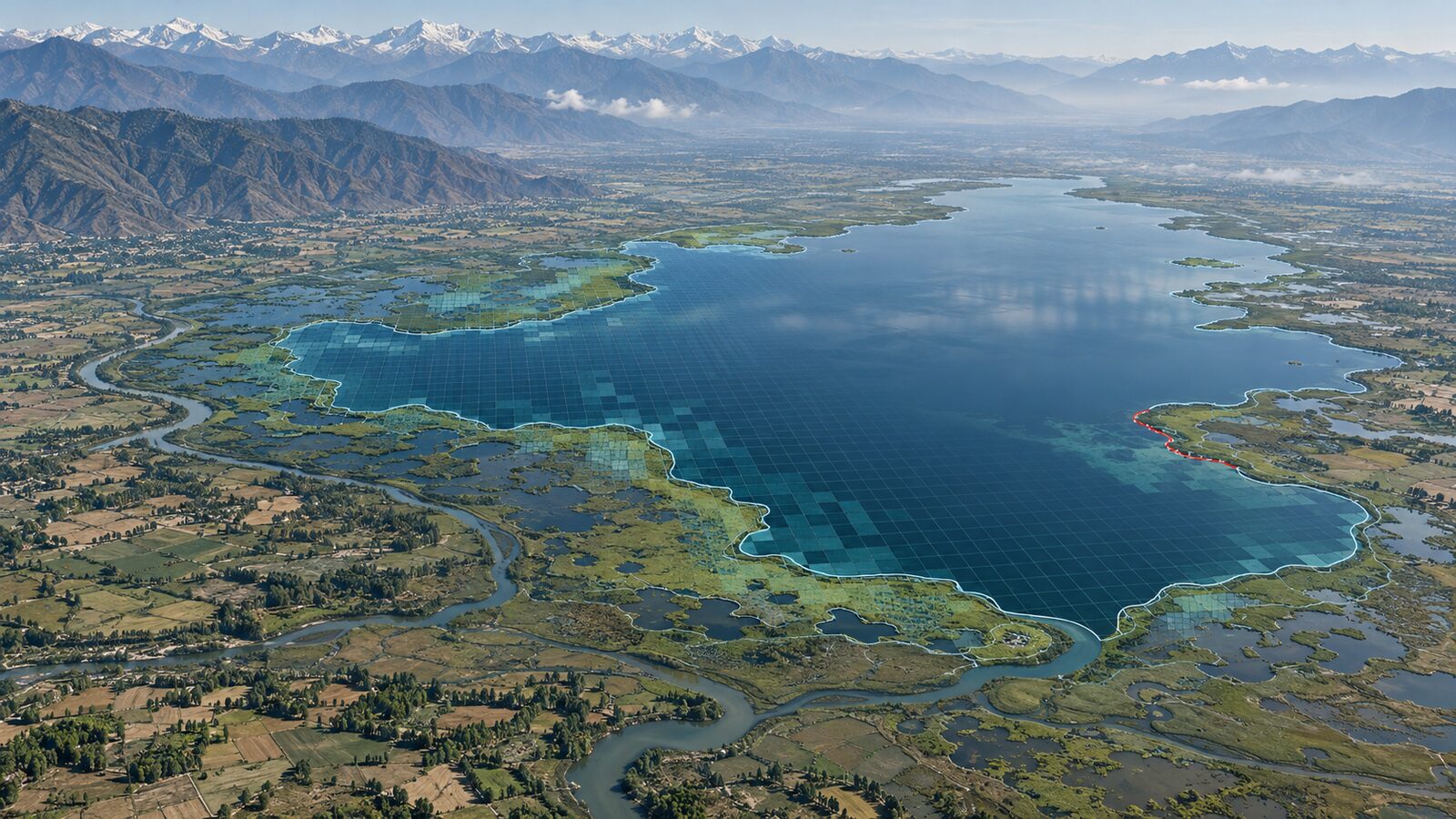
This matters at Wular Lake in Jammu and Kashmir. The national Wetlands of India portal describes Wular as India’s largest freshwater lake, with extensive emergent and floating vegetation, and lists the Ramsar site area as 18,900 hectares. It also identifies encroachment, hydrological-regime alteration, pollution and siltation as threats. That makes a repeatable open-water measurement useful, but it also makes a careless number particularly unhelpful. A result should be described as mapped open water under a stated image-selection, cloud-masking and thresholding rule, not as the total wetland area.
My view is simple: if a GEE script prints an area without stating its analysis scale, source bands, threshold and boundary, it is not yet a result someone else can audit. It is a provisional calculation.
This walkthrough uses the harmonised Sentinel-2 Level-2A surface-reflectance collection. In Earth Engine, it contains surface reflectance scaled by 10,000 and is available from 28 March 2017. Sentinel-2 provides visible and near-infrared bands at 10 m, while its shortwave-infrared bands are 20 m. The five-day revisit figure is valuable for assembling a cloud-reduced seasonal composite, but it does not remove the need to inspect the final scene selection.
The area mistake that keeps recurring
Beginners commonly create a binary water image, run reduceRegion() with ee.Reducer.sum(), then multiply the resulting pixel count by a nominal pixel area. That shortcut breaks easily.
First, the map preview is not an analysis specification. Earth Engine chooses display scale from map zoom, and its images are stored at multiple pyramid levels. The same location can therefore yield different values when requested at different scales. A pleasing boundary on the screen is evidence that the layer renders, not evidence that it was measured at the intended resolution.
Second, MNDWI here combines Sentinel-2 Green, B3, and SWIR1, B11. B3 is listed at 10 m, but B11 is listed at 20 m. Pretending the final index is an independent 10 m observation invents detail from the coarser input. For this particular index, a 20 m analysis scale is the honest starting point.
Third, a bare count assumes every selected pixel has the same meaningful area. ee.Image.pixelArea() is the safer tool because it creates an image whose pixel values are areas in square metres. The Earth Engine documentation also warns that its default projection is WGS84 at one-degree scale. The remedy is not to trust that default. Constrain the reduction with the intended scale and a suitable source projection.
Finally, bestEffort: true is not a harmless way to make an error disappear. Earth Engine documents that it can choose a larger scale to stay within the pixel limit. That may be acceptable for a quick reconnaissance statistic, but it makes a reported water-area number dependent on an automatic decision. Use an explicit maxPixels value instead, then decide yourself whether the chosen scale is appropriate.
Worked example: mapped open water at Wular Lake
The code below is a template, not a claim about Wular’s water area on any particular date. Draw or import an AOI that represents the question you want answered. For example, use a consistent lake boundary for year-to-year comparison, or a clearly documented management boundary if that is the reporting unit. Do not substitute the 18,900-hectare Ramsar-site figure for the AOI and expect it to mean “open water”. The site includes marsh and other wetland components.
In the Earth Engine Code Editor, import a polygon and name it aoi. Then use this JavaScript:
// Draw or import the analysis boundary and name it `aoi`.
// This example measures a cloud-screened 2024 post-monsoon composite.

var start = '2024-09-01';
var end = '2024-11-30';

function maskS2(image) {
  var scl = image.select('SCL');
  var clear = scl.neq(3)   // cloud shadow
    .and(scl.neq(8))       // cloud, medium probability
    .and(scl.neq(9))       // cloud, high probability
    .and(scl.neq(10))      // cirrus
    .and(scl.neq(11));     // snow or ice
  return image.updateMask(clear);
}

var s2 = ee.ImageCollection('COPERNICUS/S2_SR_HARMONIZED')
  .filterBounds(aoi)
  .filterDate(start, end)
  .filter(ee.Filter.lte('CLOUDY_PIXEL_PERCENTAGE', 40))
  .map(maskS2);

var composite = s2.median().clip(aoi);

// MNDWI = (Green - SWIR1) / (Green + SWIR1).
// B11 is a 20 m band, so measure this product at 20 m.
var mndwi = composite.normalizedDifference(['B3', 'B11']).rename('mndwi');
var water = mndwi.gte(0).selfMask();

var areaImage = ee.Image.pixelArea().updateMask(water);
var stats = areaImage.reduceRegion({
  reducer: ee.Reducer.sum(),
  geometry: aoi,
  scale: 20,
  crs: composite.select('B11').projection(),
  maxPixels: 1e10
});

var waterKm2 = ee.Number(stats.get('area')).divide(1e6);

print('Images used', s2.size());
print('Mapped open water, km²', waterKm2);

Map.centerObject(aoi, 11);
Map.addLayer(composite, {bands: ['B4', 'B3', 'B2'], min: 0, max: 3000},
  'Sentinel-2 SR composite');
Map.addLayer(mndwi, {min: -0.5, max: 0.5, palette: ['brown', 'white', 'blue']},
  'MNDWI');
Map.addLayer(water, {palette: ['00BFFF']}, 'Mapped open water');
The important lines are not just the MNDWI formula. ee.Image.pixelArea() produces square metres, scale: 20 makes the requested analysis resolution clear, crs ties the reduction to the B11 grid, and division by one million converts square metres to square kilometres. Earth Engine recommends specifying scale, or a CRS and CRS transform, for reduceRegion() because complex flows may not otherwise have an unambiguous output scale.
Treat the threshold as a decision, not a law
The gte(0) threshold is a transparent starting rule, not a universal truth. Open water will often have positive MNDWI, but shallow water, submerged vegetation, turbid water, wet soil, floating vegetation and shadow can all complicate the boundary. Wular’s vegetation makes that distinction central.
Inspect the MNDWI layer, the true-colour composite and high-resolution reference imagery at several locations around open water, emergent vegetation and surrounding wet ground. Then test a small, defensible set of thresholds, such as a slightly lower and a slightly higher value than zero. If the final area shifts substantially, report that sensitivity rather than publishing a false impression of precision.
Also inspect the image count printed by the script. A median composite can suppress some cloud artefacts, yet it can blend changing water conditions across the chosen interval. If the objective is a date-specific water extent, choose one carefully screened image instead. If the objective is a seasonal indicator, retain the composite but name the period in the map title and results table.
A compact reporting checklist
Before sharing the result, record these items alongside the number:
- AOI source, date and meaning: lake polygon, Ramsar boundary, management boundary or another defined extent.
- Collection ID, date range and count of images used.
- Cloud and shadow masking logic.
- Index formula, band names and threshold.
- Analysis scale and CRS.
- Units and what the number represents: mapped open water, not automatically the whole wetland.
This small metadata block distinguishes a reproducible analysis from an attractive screenshot. It also lets a future analyst rerun the workflow with a revised threshold or boundary and understand why the result changes.
Frequently asked questions
Should I multiply a Sentinel-2 pixel count by 100 square metres?
No, not for this MNDWI workflow. Because B11 is a 20 m input band, use pixel-area summation with an explicit 20 m analysis scale rather than assuming every classified output pixel represents a 10 m by 10 m ground cell.
Why does my water area change when I zoom the map?
Your map view is not a fixed analytical grid. Earth Engine selects display scale from zoom level and uses image pyramids, so inspect the layer visually at any zoom you need, but obtain the reported statistic only through an explicitly scaled reduction.
Is an MNDWI threshold of zero always correct?
No, zero is only a testable initial rule. Validate it against representative open water, vegetation, wet soil and shadows within the specific image period, then document the selected threshold and the area sensitivity to plausible alternatives.
Can this method report the total area of Wular Lake?
No, it reports mapped open water within your defined AOI and dates. Wular’s official wetland profile includes marsh and floating or emergent vegetation, so the Ramsar-site area and a satellite-derived open-water total answer different questions.
References
- Google Earth Engine, ee.Image.pixelArea documentation
- Google Earth Engine, Statistics of an Image Region
- Google Earth Engine, Scale
- Google Earth Engine Data Catalog, Harmonized Sentinel-2 MSI Level-2A
- European Space Agency, Sentinel-2 facts and figures
- Wetlands of India Portal, Wular Lake profile
Cover image: AI-generated illustration (ChatGPT image generation), not satellite data.
Researched and drafted with AI assistance; sources are linked for verification.